AI-assisted spatial analysis with coding agents and CARTO



This year, agentic analytics has become the term for a real shift in how data teams work, and it’s now reaching GIS. The premise is straightforward: coding agents are no longer single-query helpers. They reason step-by-step through multi-stage analyses, choose the data, load it into your data warehouse, design the transformation process, validate the result, and surface the insight. What used to take senior analysts hours to compose, an agent can now compose alongside them in minutes. This agentic shift is changing everything at once: the depth of analyses an organization can run, the breadth of who can ask for them, and the speed at which the answers come back.
Geospatial is a natural fit for agentic analytics. A typical spatial procedure is multi-step, visual, and contextual. For that reason, a couple of weeks ago we introduced CARTO for Agents, making CARTO the first GIS platform fully designed for the Agentic Enterprise. Pair a coding agent with CARTO and it can author an entire geospatial workflow from a prompt, taking on the variations of repetitive spatial analyses that fill the team’s queue and freeing your analysts for the higher-value spatial questions that actually deserve their expert judgment.
In this blog post we will walk through how a coding agent (e.g., Claude, Codex, Antigravity, Copilot) can now design CARTO Workflows, the Agent Skills it uses to become a spatial domain expert, and the CARTO platform elements underneath that keep every analysis auditable, reusable, and ready to share across your organization.
Make your coding agent fluent in CARTO Workflows
With CARTO for Agents, a coding agent can create a CARTO workflow end-to-end from a natural language prompt. It inspects the data with carto sql query, browses the data prep and analysis components available in your warehouse with carto workflows components, sketches the DAG, validates it offline with carto workflows validate and against the connected data warehouse with carto workflows verify, and ships the workflow with carto workflows create. A couple of minutes later, a versioned, shareable, and runnable analytical procedure is sitting in your CARTO organization.
Most importantly, the skill that makes the agent fluent in CARTO Workflows is carto-create-workflow. It teaches the agent the design process as a sequence of decisions: discover the data, clarify the goal, identify the data warehouse provider, fetch component schemas before composing, validate against the data warehouse, and ship the ready-to-run analysis procedure. Compared to other GIS platforms, the critical analytical decisions aren’t being improvised by the agent — they’re encoded in CARTO Agent Skills as playbooks the agent loads on demand to deliver more consistent and reliable results.
Specialized Agent Skills for your most common spatial analyses
The carto-create-workflow skill teaches the agent how to design a performant geospatial workflow. The additional use-case skills go a step further: they teach the agent the substance of specific spatial analyses your team runs all the time. A hotspot analysis isn’t just a Getis-Ord Gi* call; it’s a pipeline of choices about grid construction, neighborhood weighting, and significance interpretation. Get those pieces wrong and the result looks plausible but is operationally misleading. The use-case skills encode the right steps, trade-offs, and choices, so the agent’s output is reliable and looks like work a senior analyst would have produced.
The use-case tier of the CARTO Agent Skills catalog covers key analyses most teams need, with more on the way:
| Skill | What it builds |
|---|---|
carto-hotspot-analysis | Getis-Ord Gi* and space-time hotspot workflows: grid construction, neighborhood weighting, significance interpretation. |
carto-spatial-autocorrelation | Moran’s I and LISA workflows: spatial weight matrices, HH/HL/LH/LL classification, cluster typing. |
carto-gwr | Geographically Weighted Regression: local coefficients, spatial non-stationarity, varying-relationship modeling. |
carto-spatial-enrichment | Spatial enrichment of your data with demographics, spatial features, and Data Observatory datasets. |
carto-trade-area-analysis | Trade-area and catchment workflows: isochrones, drive-times, billboard / OOH scoring. |
carto-site-selection | Site selection and cannibalization: candidate scoring, network impact, twin-area discovery. |
carto-territory-planning | Territory balancing and location allocation: depot/hub placement, response-time optimization, demand coverage. |
carto-routing-od-analysis | Routing and origin-destination analysis: OD matrices, accessibility, commute patterns. |
carto-geocoding | Geocoding workflows: address-to-coordinate conversion at scale. |
carto-composite-scoring | Composite indices and rankings: weighted scoring, PCA, supervised and unsupervised scoring. |
Each use-case skill is a recipe written based on our years of experience working on spatial analytics, with trigger keywords the agent uses to route on user intent. For example, say hotspots and the agent loads carto-hotspot-analysis; say catchment areas and it reaches for carto-trade-area-analysis. The agent doesn’t need to reinvent how to do a spatial enrichment or how to create a composite score on every prompt; it follows the playbook a senior analyst would write if they had time. And none of this requires you to know which skill exists or when to invoke it; agents load them automatically as they interpret your request. You just describe what you want.
Reusable workflows you can read and audit
The workflow your coding agent ships is a real CARTO asset: versioned, shareable, openable in CARTO Workflows by anyone on the team. Because a CARTO workflow is a visual pipeline that compiles to your data warehouse’s native SQL dialect, the analysis reads as its own documentation: source tables, transforms, join logic, scoring weights, filter thresholds, etc. The workflow your team’s reviewer reads is the same workflow the agent generated, and the same one a downstream user executes on the data warehouse.
Underneath, pieces of the analysis run on CARTO’s Analytics Toolbox (hundreds of spatial SQL functions and procedures native to BigQuery, Snowflake, Redshift, Databricks, and Oracle), extended by Workflows Extension Packages the agent can install per connection to add domain-specific components. All compute runs inside your data warehouse because CARTO is cloud-native in the strict sense. Row-level security, column masking, and access controls you have already configured are automatically enforced, with no data movement or separate access layer.
Additionally, today a CARTO workflow can also be published as an MCP tool with a single carto workflows mcp publish command. Any MCP-compatible agentic platform such as Claude, ChatGPT, Claude Desktop, Antigravity, and others, can then invoke it, running the workflow your team built and approved instead of re-deriving the analysis from scratch. This resolves a core tension in agentic systems: the gap between deterministic and probabilistic execution. By exposing your most critical procedures as MCP tools, AI agents only need to decide or capture the input parameters; the logic, methodology, and compliance with organization-wide governance policies are already encoded in the workflow. Therefore, the same workflow ends up serving three roles: visual documentation of your analysis, a runnable procedure your team can execute on demand or on schedule, and an AI-callable tool.
Inspect analysis steps without leaving the conversation
Workflow design is an iterative process. Even with a solid plan, analysts need to inspect intermediate results to validate joins, check score distributions, and confirm enrichment behaves as expected before moving forward: does this join look right? Are the results as expected?
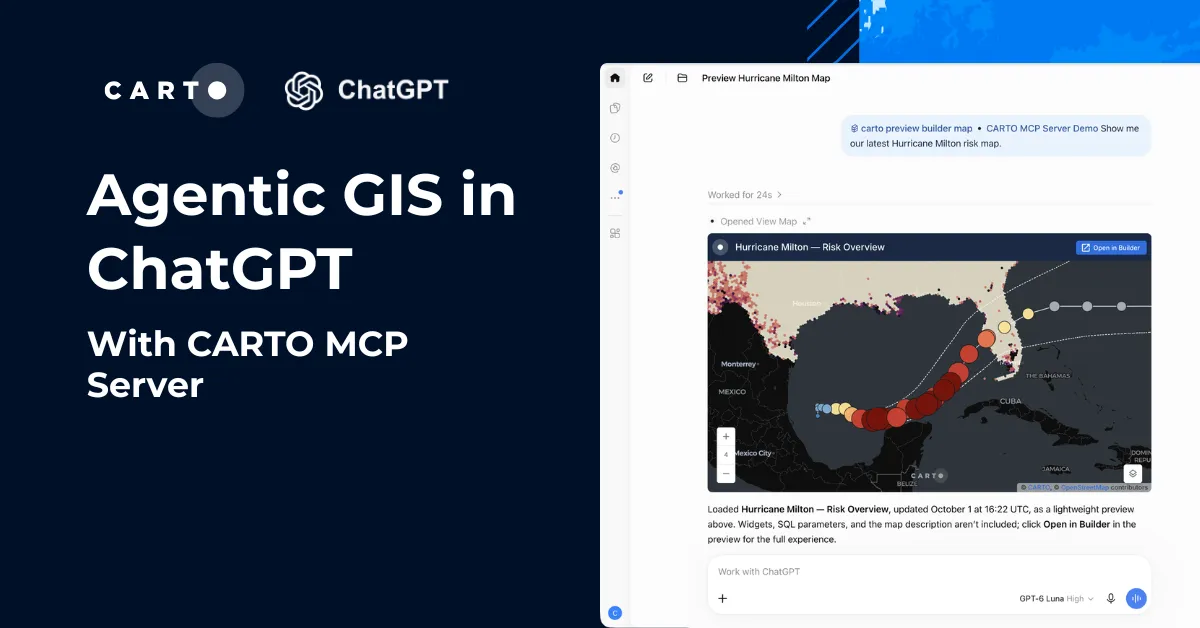
This is where the CARTO MCP Server’s MCP Apps come in. As the agent builds the workflow, it can run individual steps and render the output inline in the conversation using view_map, an interactive map of the enriched grid, the scored cells, the candidate sites, or whatever intermediate result makes sense for that step. The agent reasons forward, the analyst reviews each step, and the workflow is shaped iteratively with both human and agent working from the same intermediate output.
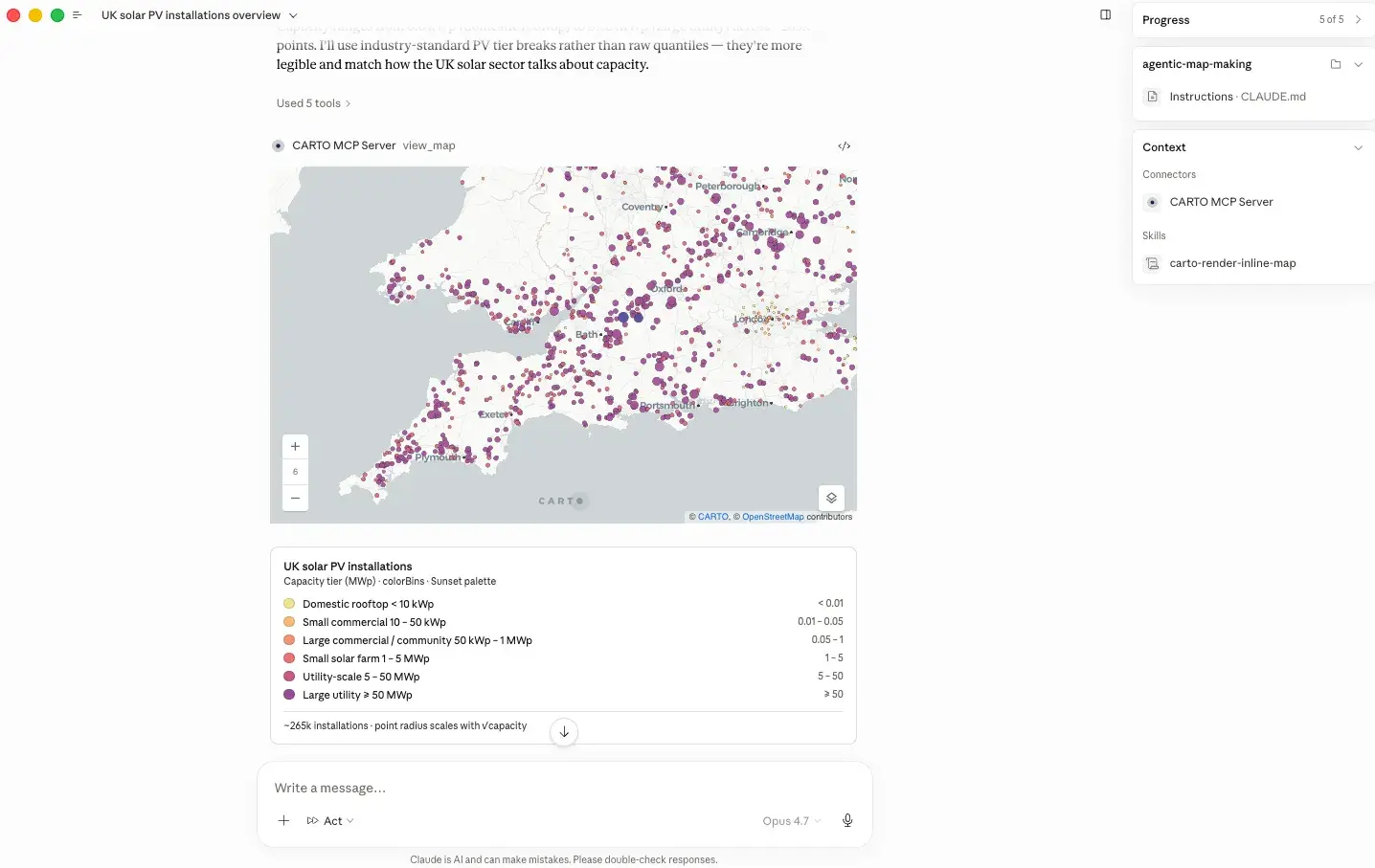
AI-assisted spatial analysis in action
Let’s look at two prompts that bring everything together and showcase how CARTO’s CLI, use-case skills, and MCP Apps enable coding agents to perform powerful analytical work.
1. Trade area analysis to identify candidate retail store locations
A supermarket chain in New York is planning its next phase of expansion and wants to quickly identify the best ten candidate store locations, maximizing customer demand while minimizing overlap with the existing network to reduce cannibalization, with full transparency into how each scoring factor contributes to the final result. The analyst simply asks the agent:
"I'm a planning analyst at a New York supermarket chain and we're looking to expand. Help me pick the best ten candidate locations, factoring in customer demand around each site and how much a new store's trade area would overlap with our existing network. I'd like the scoring expression to stay readable in SQL so my team can audit how each weight contributes."
Then the agent builds a CARTO Workflow powered by carto-site-selection and carto-trade-area-analysis Agent Skills, automatically structuring the process into governed, reusable steps.
As the workflow runs, both the analyst and agent review intermediate outputs such as demand surfaces, overlap between trade areas, and scoring components. This shared visibility enables fast iteration and refinement, resulting in a reusable analytical asset that can be rerun, shared across teams, or invoked by AI agents to produce consistent expansion recommendations at scale.
2. Composite score to locate a new distribution center balancing customer demand and exposure to weather risks
A logistics planner needs to identify the best locations for a new distribution center in Texas, balancing customer demand with exposure to severe weather risk to maximize resilience and performance. They ask the agent:
"I'm a logistics planner and we're thinking about opening a distribution center somewhere in Texas. Help me find the areas with the strongest combination of customer demand and low exposure to severe weather."
To do this, the agent uses the carto-composite-scoring Agent Skill to combine demand and risk signals into a transparent, auditable model, then builds and validates a CARTO Workflow automatically. The result is a reusable, governed analytical asset with fully generated SQL logic.
The planner then runs the workflow in CARTO, gaining fast, confident decision support and a fully traceable methodology that can be reused or adapted for future planning scenarios.
Ready to design your next analysis?
Everything in this post is available now to every CARTO user. Install the CARTO CLI, add the CARTO Agent Skills, and connect your AI Agent of choice to the CARTO MCP Server:
npm install -g @carto/carto-cli
npx skills add CartoDB/agent-skills
Then point Claude Code, Codex, Cursor, Antigravity, or Copilot to your CARTO workspace, describe the analysis you need, and watch the workflow take shape. Each workflow is automatically checked against your data warehouse, versioned in your organization, and ready to be reused across your team. Check the CARTO for Agents documentation to get started, or reach out to us to request a demo.