Cloud, desktop, or open source GIS? What is the best spatial analytics platform for you


Your team needs a spatial analytics platform. The question isn’t just which software to pick, but where it should run: in the cloud, on a desktop, or on open source.
The right answer depends on where your data lives, your compliance needs, and how much infrastructure your team wants to maintain. This guide compares the top GIS and mapping platforms in 2026 across all three deployment models, so you can match the platform to your situation rather than the other way around. If you want a platform-agnostic checklist first, see our guide to the features to look for when choosing a GIS platform.
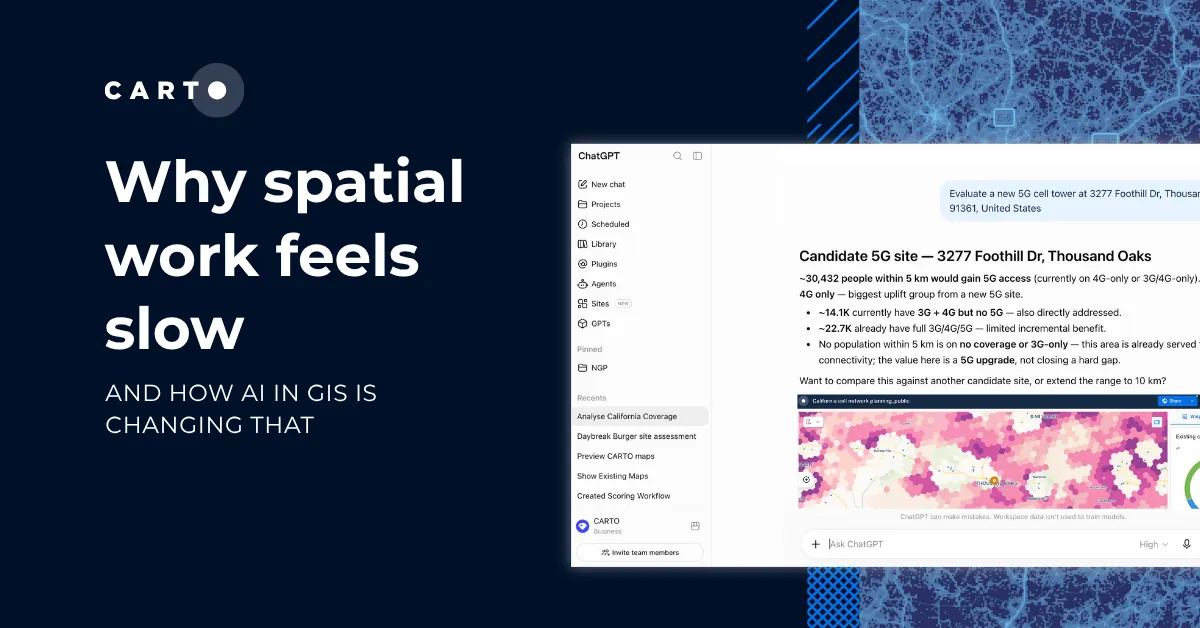
Quick answer: If your data already sits in a cloud warehouse, CARTO is built exactly for this. Spatial analysis runs directly inside Snowflake, Google BigQuery, Databricks, AWS Redshift, or Oracle, so your data never has to move. You scale with your warehouse compute and pay for what you actually use, rather than per-user seat licenses that pile up at enterprise size. The same warehouse-native architecture is also what makes agentic GIS workflows practical at enterprise scale. AI agents can run on top of governed data without a separate copy or pipeline. The other platforms in this guide work best in narrower contexts: QGIS for students, researchers, and solo analysts working with local files; Felt for small teams that need a quick shared map; ArcGIS Enterprise for organizations with an existing Esri footprint or a strict on-premise requirement.
At-a-glance comparison
| Platform | Deployment options | Data warehouse integration | Best for |
|---|---|---|---|
| CARTO | Cloud-native (SaaS or Self-Hosted in your firewalls) | Native pushdown on Snowflake, BigQuery, Databricks, Redshift, PostgreSQL, Oracle | Enterprise teams and government agencies with data in a cloud warehouse |
| Esri ArcGIS | Desktop, on-premise, cloud | Limited; usually requires data movement into Esri formats | Government, utilities, traditional GIS departments |
| QGIS | Open source desktop | Limited; via plugins | Individual analysts, researchers |
| Mapbox | API and SDKs | None | Developers building map-heavy navigation apps without a cloud warehouse |
| Google Maps Platform | Cloud APIs | None | Consumer-style maps, geocoding, routing, and navigation |
| Felt | SaaS, with limited self-hosted on AWS | None native; copy-and-sync connectors only | Quick shared maps for small teams |
| Maptitude | Browser based | None | Navigation, field team use, and CRM integrations |
| MapInfo Pro | Desktop, on-premise | None | Telecoms, asset management (legacy) |
How to choose: cloud-native vs. desktop vs. open source
Before you pick a platform, pick the operating model that fits your team. These three categories overlap. Open source is technically a licensing model and runs on both desktop and the cloud, and not every cloud-based product is “native” to your data warehouse. But most platforms in this space cluster into one of these three approaches, and the trade-offs between them are very different.
Cloud-native
A cloud-native platform runs inside your cloud environment and works directly against data in your warehouse. The key word is native: data stays where it is, and the platform queries it in place. This is different from being merely cloud-based. Products like ArcGIS Online or Felt run in the cloud, but they still expect you to copy your data into their environment to work with it. For the deeper breakdown, see what being cloud-native should really mean for your spatial data.
Benefits: Because spatial analysis runs against the single source of truth in Snowflake, BigQuery, Databricks, Redshift, or Oracle, there is no data to duplicate or sync. Scale comes from the warehouse itself, which means you pay for compute only when queries actually run, and governance inherits from your cloud, so SSO, row-level security, and audit logs are already in place from day one. Because there is no local install, a team can be running its first workflows within the same week.
Risks: The main risks are vendor dependencies and misleading cloud-native claims. You are tied to your vendor’s uptime and roadmap, and a weaker “cloud-connected” product will still move data out of the warehouse for processing, which defeats the point. When you evaluate options, check for true pushdown SQL and compliance audits from independent third-parties, not just a browser hosted interface.
Best for: Enterprise teams and government agencies with data already in a modern warehouse, organizations that want to avoid ETL between systems, and teams who need governance to carry across from their data platform.
Desktop
On-premise means the software runs on servers your organization owns and manages, inside your own network perimeter.
Benefits: The main appeal is control. Data never leaves your physical environment, which matters for defense work, classified data, and some regulated sectors. You also own the schedule for versioning, updates, and integrations, and you avoid per-query cloud costs entirely.
Risks: The total cost of ownership is high, since you pay for hardware, facilities, upgrades, and the team to operate all of it. On top of that, feature delivery is slower because on-premise releases usually lag cloud versions by months, and uptime depends on your own operations team. The hardest constraint shows up at scale: when datasets grow into the millions of points, on-premise systems need lengthy preprocessing and indexing cycles to stay responsive, and the hardware cannot expand on demand the way a cloud warehouse can.
Best for: Defense, classified government work, the small number of regulated industries where a compliance rule still forbids public cloud, and organizations needing integration with field data collection desktop and mobile apps.
Open source
Open source is a licensing model rather than a deployment one, and open source projects exist for both cloud and desktop GIS. In practice, though, the majority of mature open source GIS, and the way most teams encounter it, runs on the desktop. So this section is about the desktop, single-analyst workflow that QGIS and similar tools have come to define. The code is public, the community is large, and no license fee is involved.
Benefits: There is no licensing cost and full access to the code and logic, which means you avoid vendor lock-in entirely. If a project stops being maintained, the community can fork it, and around QGIS in particular that community and its plugin library are large and active.
Risks: The trade-off is that you carry the time and cost of maintenance yourself, including updates, security patches, and integration work, and any enterprise support is limited or paid separately. Scaling beyond a single analyst is also hard, because most open source GIS tools are desktop-first and built for technical practitioners rather than business users. There is also no guaranteed support in an emergency. If a production dashboard goes down, the organization is on its own, which means taking on significantly more operational risk than with a supported platform. At enterprise scale, these tools also lack the scalable governance and controls that large enterprises and government organizations require, such as SSO, Role-Based Access Control (RBAC), and audit logging.
Best for: Individual analysts, researchers, academic work, and teams that value code control over convenience.
The 8 spatial analytics platforms compared
1. CARTO
What it is: CARTO is a cloud-native spatial analysis platform that runs inside your data warehouse. Every query executes as pushdown SQL in the warehouse itself, which means governance comes along for free: SSO, RBAC, and audit logs all inherit from your cloud. CARTO also maintains independent third-party compliance certifications, including SOC 2 Type 2, documented in the CARTO Trust Center. On top of this, CARTO’s Agentic GIS lets teams build AI Agents that answer natural language spatial questions and automate geospatial workflows, and the same platform runs across the entire modern warehouse stack. CARTO is also an active contributor to open source, including deck.gl and related visualization libraries. The main trade-off is that CARTO requires an existing cloud data warehouse and uses enterprise pricing, so it is not a free or desktop tool.
Deployment: SaaS (fully hosted) or Self-Hosted in your own cloud VPC. No on-premise server installation.
Cloud partners: Google BigQuery, Snowflake, Oracle, Databricks, AWS Redshift, PostgreSQL.
Best for: Enterprise teams in retail, insurance, financial services, telecom, and government that already run on a cloud data warehouse. The platform is industry-agnostic, so it fits any sector that needs spatial analysis at scale.
2. Esri ArcGIS
What it is: Esri ArcGIS is the industry-standard GIS, with a full suite that spans desktop (ArcGIS Pro), cloud (ArcGIS Online), and on-premise (ArcGIS Enterprise). It offers the widest breadth of GIS functionality on the market, along with deep industry-specific extensions from survey tools to 3D Analyst and Building Information Modeling (BIM), and a large professional community where training is broadly available. Where it struggles is in modern data stacks. Data usually gets copied into Esri formats, which duplicates your source of truth, and per-user licensing adds up quickly at enterprise scale. The architecture is desktop-first and predates the cloud data warehouse era, which also makes the learning curve for non-GIS users long.
Deployment: Desktop, on-premise, or cloud-hosted.
Cloud partners: Limited native data warehouse integration. Esri’s proprietary storage formats including shapefiles, file geodatabases, and map feature services.
Best for: Government, utilities, defense, and the small number of regulated industries where a compliance rule still forbids the cloud.
Considering a move? See how CARTO compares to Esri ArcGIS.
3. QGIS
What it is: QGIS is the dominant open source GIS and a staple of the profession. It is a free desktop application that runs on any operating system, and comes with a very active plugin library, strong cartographic output, and broad file format support. The trade-offs are structural rather than quality-related. Because QGIS is desktop-first, multi-user collaboration and web delivery depend on third-party tools, and support falls on your team unless you pay a consultancy. It is also not built for spatial workloads that sit in a data warehouse.
Deployment: Open source desktop. Community projects exist for server deployment.
Cloud partners: None natively. Plugins can connect to some cloud sources.
Best for: Individual GIS analysts, researchers, academia, non-profit teams, and price-conscious organizations that prefer a desktop workflow.
Already using QGIS? The CARTO QGIS plugin lets you access, visualize, and edit your cloud data warehouse data directly from QGIS.
4. Mapbox
What it is: Mapbox is a developer platform for custom interactive maps. Its SDKs and APIs let developers embed map experiences into web and mobile applications, with very good styling and performance and full control over custom vector tiles and design. Where Mapbox stops short is analysis: it is not a spatial analysis tool, so there is no low-code workflow builder, no native warehouse integration, and no point n’ click dashboard interface for non-developer users. Its API-volume pricing can also climb quickly once a product reaches scale.
Deployment: APIs, SDKs, and hosted tiling service.
Cloud partners: None at the data warehouse layer. Mapbox is a developer visualization and API product, not a spatial analytics platform.
Best for: Developer teams building consumer-facing map applications without a cloud data warehouse in the picture. If your data already lives in Snowflake, BigQuery, Databricks, Redshift, or Oracle, CARTO is the better starting point. Its SDKs and APIs let you build the same kind of map-heavy apps directly against your warehouse.
Considering a move? See how CARTO compares to Mapbox.
5. Google Maps Platform
What it is: Google Maps Platform offers Google’s APIs for maps, places, geocoding, and routing. This is the familiar Google Maps interface exposed for developers, backed by the highest quality base map data for most of the world, mature APIs with broad developer familiarity, and strong routing and geocoding accuracy. Like Mapbox, though, it is not GIS or spatial analytics. There is no analysis engine and no warehouse integration, API costs rise quickly with call volume, and customization is more limited than what you get from Mapbox.
Deployment: Cloud APIs only.
Cloud partners: Google Cloud.
Best for: Web and mobile apps that need consumer-grade maps, geocoding, or routing.
6. Felt
What it is: Felt is a browser-based collaborative mapping tool, closer in spirit to Figma for maps than to a full GIS. Its strengths are speed and collaboration: it is easy to pick up, supports good collaborative editing, and makes sharing a map with a team fast. The ceiling is also clear, though. Felt is not a full GIS or spatial analytics platform, so analytical depth is limited. Its warehouse integrations are copy-and-sync connectors rather than native pushdown, so data is duplicated rather than queried in place. Felt is primarily SaaS, with a self-hosted option limited to AWS.
Deployment: SaaS, with a limited self-hosted option on AWS.
Cloud partners: None native. Copy-and-sync connectors only.
Best for: Small teams and non-technical users who need to make and share a map quickly.
7. Maptitude
What it is: Maptitude, from Caliper, is a desktop GIS with bundled demographic and transportation data. It uses a perpetual license model with no mandatory annual renewal and sits at a lower price point than Esri, which makes it attractive for budget-conscious planning teams. The trade-offs are narrow scope and limited scale: it is desktop-first and single-user by default, has no data warehouse integration, and runs on a smaller community than Esri or QGIS.
Deployment: Desktop, with some cloud and server options.
Cloud partners: None.
Best for: Navigation, field team use, CRM integrations, transportation planning, demographic analysis, and redistricting work.
8. MapInfo Pro
What it is: MapInfo Pro, now owned by Precisely, is a long-established desktop GIS with strong historical adoption in telecoms, utilities, and asset management. It is a mature product with decades of development behind it, good file format support, and easy on-premise deployment. The flip side of that maturity is that the architecture is legacy desktop: there is no cloud-native or warehouse-native story, and the user community today is smaller than Esri’s or QGIS’s.
Deployment: Desktop, on-premise server options.
Cloud partners: None.
Best for: Organizations with existing MapInfo investment, particularly in telecoms and asset management.
Choosing the right platform for your team
If you take nothing else from this guide, take this decision tree:
- You run on a cloud data warehouse and need enterprise-grade or government-scale spatial analytics. Start with CARTO.
- You rely on a specialized Esri extension (3D Analyst, Building Information Modeling (BIM), survey tools) with no equivalent on other platforms. ArcGIS is the option.
- You are a solo analyst or in academia. QGIS is free and capable.
- You are a developer building a map-heavy app on top of a cloud data warehouse. CARTO.
- You are a developer building a consumer-facing map app without a warehouse in the picture. Mapbox or Google Maps Platform.
- You want a quick shared map for a small team. Felt.
- You have a legacy MapInfo-only workflow with .TAB file dependencies that is out of scope for migration. MapInfo Pro keeps it running.
There is no single best platform for everyone. The right choice depends on your data stack, your compliance needs, and how your team actually works day to day.
In practice, most large organizations end up running more than one spatial tool. A cloud-native platform like CARTO handles enterprise analytics directly against your warehouse. A desktop GIS like QGIS or ArcGIS is still the strongest choice for detailed cartographic output and specialist editing. A developer library like Mapbox or Google Maps Platform is the right fit for customer-facing apps. What makes the stack work is not choosing one tool over another, but letting each one do what it does well while working from the same source of truth.
If your data already lives in Snowflake, BigQuery, Databricks, Redshift, or Oracle, and you want to see what running spatial analytics inside your warehouse looks like, request a CARTO demo.
Frequently Asked Questions
Can I run CARTO on-premise?
CARTO is cloud-native and does not install on-premise. It can be self-hosted inside your own cloud VPC, which gives you a private deployment that still runs on cloud infrastructure. Teams that require true on-premise usually choose Esri ArcGIS Enterprise.
What is the best free GIS software?
QGIS is the standard. It is open source, cross-platform, and has a large plugin library. It is desktop-first, so it is a better fit for individual analysts than for team workflows against a cloud warehouse.
What is the difference between mapping software and spatial analytics?
Mapping software produces and shares maps. Spatial analytics software answers questions with data, such as where to site a new store, which areas carry the highest insurance risk, or how a network should be extended. Some platforms, such as Felt and Mapbox, are mapping-first. Others, such as CARTO, Esri, and QGIS, run real analysis.
Which GIS platforms have AI and agentic capabilities?
CARTO ships agentic GIS through CARTO AI Agents, which let teams ask spatial questions in natural language and run automated geospatial workflows directly against the data warehouse, with no copying or ETL involved. Esri has been adding generative AI features to ArcGIS Pro and ArcGIS Online focused on assisted authoring and content discovery. Most other platforms have limited or no native AI tooling.
What is the best GIS software for Snowflake?
CARTO is the most complete cloud-native spatial analytics platform for Snowflake. It runs as pushdown SQL inside Snowflake, so data never leaves your account, and it supports H3, QuadBin, and standard spatial SQL. CARTO is also available as a Snowflake Native App with Container Services, so the entire platform can run inside Snowflake’s own infrastructure. Esri offers a connector but requires data movement.
Which GIS platform supports Databricks natively?
CARTO runs natively on Databricks, including spatial SQL functions and H3 indexing. Esri offers connectors. QGIS requires a plugin for authenticated access. The other platforms do not connect natively to Databricks.
Is open source GIS really free?
The software has no license cost, but the total cost of ownership includes your team’s time for setup, maintenance, and support, plus any paid plugins or consultants. For a single analyst, open source can be very cheap. For an enterprise deployment, the numbers are closer than they look, and the organization also takes on the risk of self-managed troubleshooting, security patches, and uptime.