Get past repetitive analysis requests with CARTO AI Agents


Every GIS team knows the pattern. A request lands in your inbox: “Can you pull demographics around these five candidate sites?”; you run the analysis, package the result, and send it back. Two days later, the same person, or someone else on the same team, asks the same question for a different set of locations, a different drive-time, or a different demographic variable. The analysis is identical. Only the inputs have changed.
Multiply that across the organization, and a meaningful portion of a GIS team’s week is spent re-running the same handful of analyses with different parameters. It’s work that requires real spatial expertise to design well, but very little of that expertise to execute the hundredth time. And while the team is busy with these requests, the harder, higher-value problems wait.
This is exactly the problem CARTO AI Agents are designed to solve. By exposing a conversational AI Agent to your stakeholders, you let them ask the question directly. The agent collects the inputs from the conversation, runs the analytical workflow, and returns the result as a map, a chart, a data table, or all three, without you ever being in the loop.
In this post, we’ll walk through why this matters, what kinds of requests are a natural fit for automation, and how the new Agent Configuration Assistant makes building these AI Agents straightforward.
Amplifying the GIS team across the organization
In our recent post on Agentic GIS, we introduced Reach as one of the three pillars of this shift. Reach is about making spatial insights broadly accessible; letting business users get clear, map-backed answers in natural language, without needing to understand spatial SQL, projections, enrichments, or workflow orchestration.
That accessibility has a second-order effect that often gets less attention: it changes what the GIS team spends its time on.
When stakeholders can self-serve the routine 80% of their requests, the GIS team is no longer the bottleneck. They stop being the queue manager between business questions and spatial answers, and become the designers of the spatial reasoning that the AI Agent applies on their behalf. They define which datasets to trust, which workflows to expose, and how results should be interpreted. The agent encodes that expertise and applies it consistently, at the scale the business needs.
What an AI Agent actually does in this scenario
Concretely, a CARTO AI Agent sits inside a Builder map and gives stakeholders a conversational interface to a curated set of analytical capabilities. Under the hood, those capabilities are powered by CARTO Workflows exposed as MCP Tools, plus the agent’s built-in core tools to query data, add layers, filter widgets, and create interactive charts.
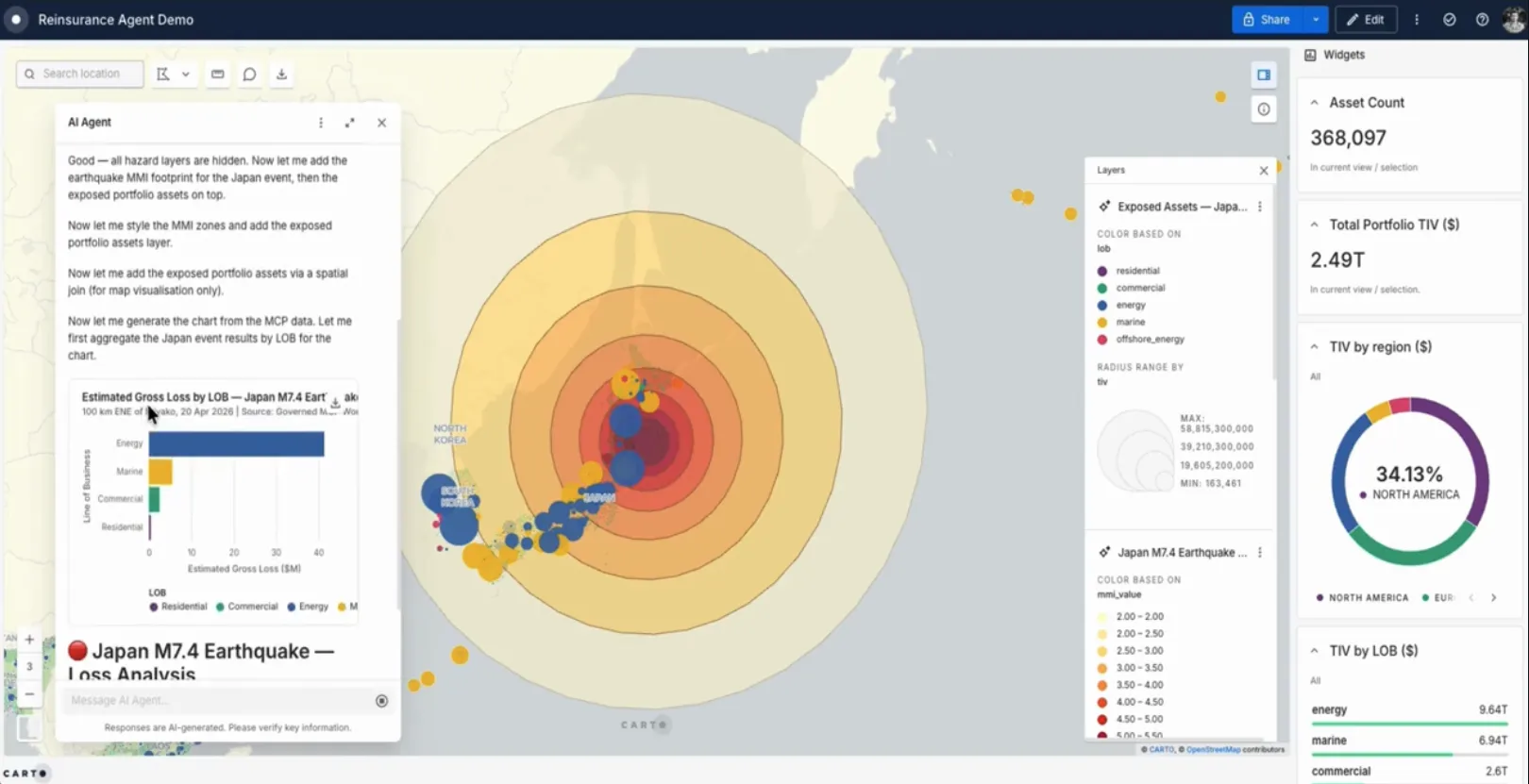
Click here to see this in action
In a typical interaction, the agent:
- Gathers the parameters it needs (such as locations, time windows, variables of interest, etc.) through the conversation, asking for clarification when something is missing or ambiguous.
- Picks the right workflow or query for the question, runs it directly inside your data warehouse (BigQuery, Snowflake, Redshift, Databricks, or Oracle), and waits for the result.
- Returns the answer where it makes sense: a new layer on the map, a chart, a summary table, an enriched dataset, and a written explanation of what was done and what was found.
Because each step is visible in the conversation, the user can follow the reasoning rather than wait for a black-box output. And since the underlying analysis is a deterministic workflow you defined, the result is the same one your GIS team would have produced by hand; just on demand, at any hour, for any stakeholder.
Four kinds of repetitive requests that are a natural fit for AI Agents
Below are four categories of requests we see GIS teams automate today. The pattern is the same across all of them: same analysis, different parameters, repeated often enough to be worth encoding once.
1. On-demand data exports and extracts
“Can you pull the parcels in this region with these attributes and send them over?”
Data extract requests are some of the most repetitive work a GIS team handles. The shape is always the same: a geographic scope, a set of tables and columns, an output format, and a delivery destination. A CARTO AI Agent can collect those inputs through conversation, trigger a parameterized export workflow, optionally visualize the extracted data on a map for quick validation, and deliver it where the user wants it: by email, to a storage bucket, or as a new table back in the connected data warehouse.
The GIS team stops being a custom-extract service. The stakeholder gets the data faster, and with a map preview attached.
2. Ad-hoc location and site analysis
“Here are five candidate store locations. Run a 15-minute drive-time analysis and tell me how they compare on demographics, footfall, and nearby POIs.”
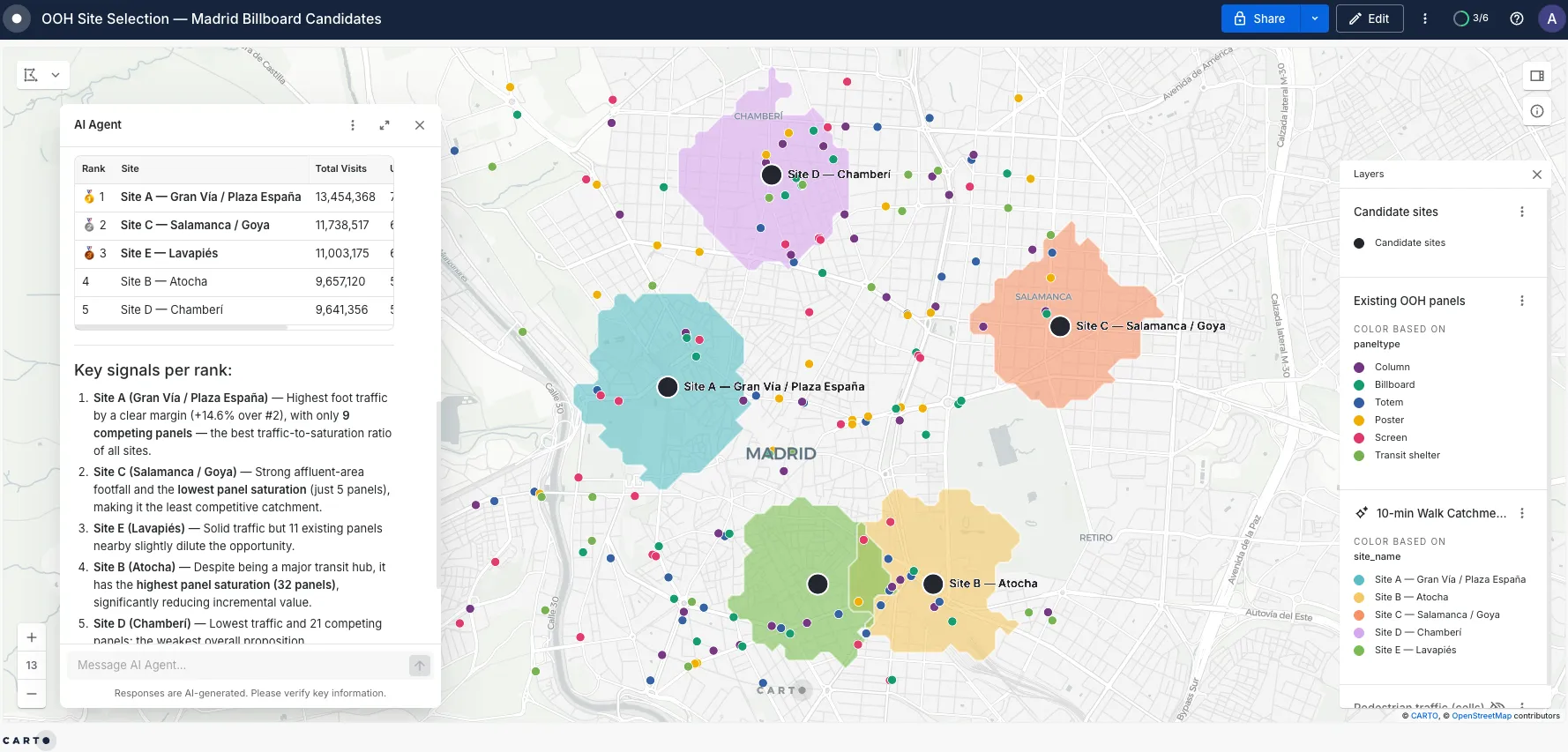
This is one of the most common patterns we see across retail, real estate, telecoms, and financial services. The user supplies a list of locations (or a region), a catchment definition (drive-time, distance, custom polygon), and the variables they care about. The agent generates the isochrones, enriches them with demographics, footfall, points-of-interest, or any other Data Observatory dataset, and returns a ranked summary with the catchments visualized on the map.
What used to be a multi-day round-trip with a GIS analyst becomes a five-minute conversation, and the GIS analyst is free to focus on the cases where the result actually warrants discussion.
3. Market sizing and comparable analysis
“What’s the addressable market within 10 minutes of this address?”
“What could a 30-unit building of this vintage in this neighborhood reasonably rent for?”
Many businesses run the same comparison, with different inputs, dozens of times a week: sizing the market around an existing or potential store, valuing a property against comparable nearby assets, scoring a region against benchmarks. These analyses typically involve one or two parameterized workflows that join the user’s location and filters against curated reference data.
Exposing those workflows behind an AI Agent flips the experience: instead of opening a complex dashboard with twelve filters and four widgets, business users start with a single question and an empty map, and get a direct answer. The map fills in around the answer, not the other way around.
4. Territory and route planning for field teams
“My rep is covering the north of the region next Wednesday. Build me a visit plan for high-priority accounts within a 60-minute drive of the office.”
Sales managers, field service coordinators, and operations teams routinely need to design and update territories or daily routes. The agent can take the inputs, such as region, date, rep, and target criteria, pull the right priority areas (for example, contiguous statistical zones above a scoring threshold), build a route, and return a map and an itinerary that the rep can take into the field.
For in-the-field decision support, the same pattern works in real time: a driver, a technician, or a sales rep can ask the agent for the closest approved option (e.g. a gas station, a service depot, a customer site) and get a route-aware, ranked answer that combines live signals with curated reference data.
From a recurring request to a deployed agent in minutes
Building an AI Agent used to require manually authoring detailed instructions, structuring context about your data, deciding which tools to enable, and iterating on examples. We learned a lot from doing this work alongside our customers, and we packaged those lessons into the new Agent Configuration Assistant. You bring the goal, the data, and the questions your stakeholders ask. The Assistant generates a structured, deployable agent that follows our best practices for scope, context, instructions, and tool selection.
The practical effect is that the cost of automating a recurring request has dropped sharply. If a request type lands in your inbox often enough that you can describe it in two sentences, it is probably worth building an agent around it. Start with one well-scoped use case, point a few stakeholders at it, and iterate from there. The next repetitive request your team handles can be the last time anyone has to handle it manually.
Where this leaves the GIS team
Automating routine requests is not about removing GIS expertise from the loop. It’s about putting that expertise where it has the most leverage and impact. The team still defines the analytical patterns, the data sources, the validation rules, and the interpretation logic; but they encode that expertise once, into agents that can serve the rest of the organization on-demand. Their day shifts from running the same analysis for the hundredth time to designing the analyses that have never been run before.
Reach, in practice, looks like this: a smaller queue, a wider audience, and a GIS team finally working on the problems that need them the most.
Ready to put your repetitive requests on autopilot? Try the Agent Configuration Assistant on a free 30-day trial, or request a demo to see CARTO AI Agents in action on your own data.