What We Learned Building AI Agents for Geospatial Analysis


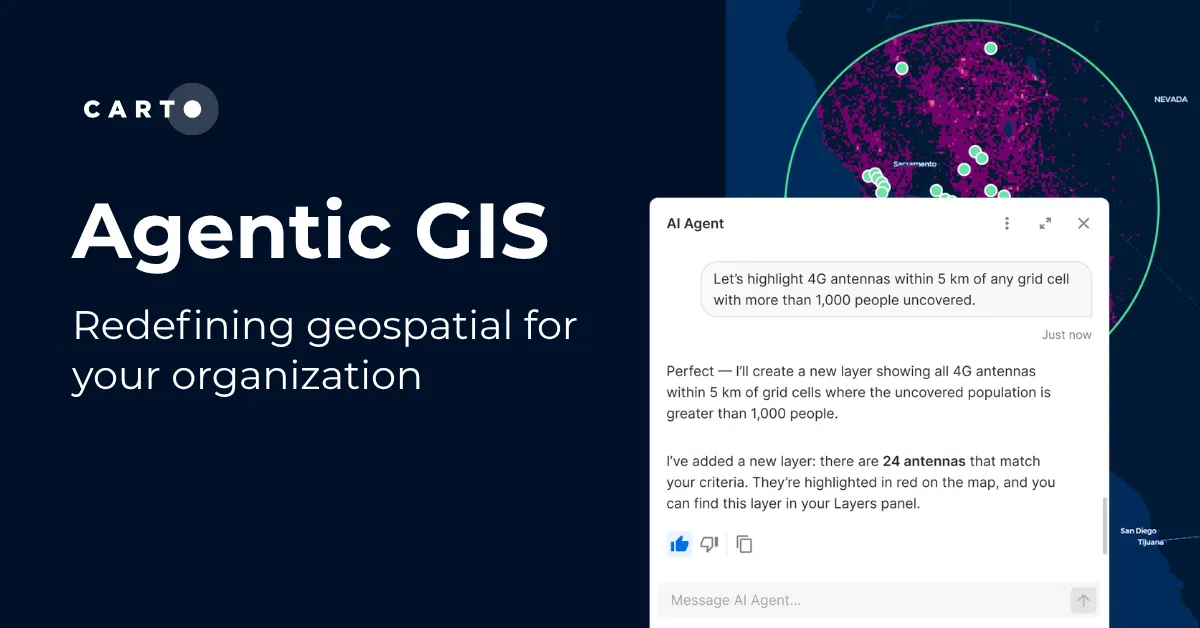
Late last year, we launched AI Agents on the CARTO platform, a key piece of our Agentic GIS vision to put geospatial analysis within reach of every team. These agents provide a conversational interface embedded in your maps, letting users perform spatial analysis through natural language, running queries directly on your data warehouse, powered by your vetted AI providers and LLMs of choice.
Since then, we've built and refined agents internally and with customers across dozens of use cases, from insurance risk assessment and network planning to retail site selection and urban mobility analysis. That hands-on experience taught us what makes a geospatial agent actually work, and what makes it fall short.
Those lessons pointed to a clear conclusion: building a reliable agent requires more than connecting a model to your data. It takes understanding how context, instructions, and tools need to work together for each use case. That's what led us to create the Agent Configuration Assistant, a tool that reduces the effort of setting up agents while raising their quality. You focus on your goal and requirements. The Assistant already has our best practices baked in.
This post walks through six of those lessons and how they shaped the way we build agents today.
1. Start with a well-scoped use case
It's tempting to create an all-purpose agent, one that handles site selection, revenue forecasting, logistics optimization, and customer segmentation all at once. But the broader the scope, the harder it is for the agent to know which datasets matter, which analysis to run, or what a good answer even looks like. It defaults to generic queries, picks the wrong datasets, and produces results that look plausible but are operationally useless.
The most effective agents we've seen are built around a specific, well-scoped use case, designed around the business questions the end user will actually ask. A territory manager agent built around one question, "Which stores are underperforming?" or "How does this region compare?", knows exactly where to look. It reaches for the stores dataset, prioritizes revenue and footfall metrics, and returns results as a map with regional context already in place.
Too broad
"An agent that helps with geospatial analysis. It can handle location data, run queries, and create visualizations for any use case."
Focused
"An agent for retail territory managers that analyzes store performance by region, comparing revenue, footfall, and competitor proximity, and highlights underperforming locations."
If you've ever scoped a map dashboard, you already know this instinct. The same focus and intentionality that makes a good dashboard makes a good agent.
Start narrow. Think about who will use this agent and what they need to accomplish. An agent built for a specific audience earns trust. An agent built for "everyone" earns none.
2. Context is what separates a useful agent from a frustrating one
One of our earliest agents had access to a complex data model but we hadn't explained what the fields meant or how the tables related. The queries it generated were syntactically correct but operationally meaningless.
Most agent failures are not model failures. They are context failures.
For geospatial agents, context means giving the agent real knowledge about your data (what columns mean, how tables relate, what a good query looks like) and about the use case it serves. CARTO provides part of this context automatically, like the map configuration and the definitions of the tools enabled by the creator. The rest comes from you. The Agent Configuration Assistant makes this easier by generating the full agent configuration through conversation, including enabling MCP tools that turn complex geospatial operations into capabilities the agent can call.
3. Give your instructions structure, not just content
The most common pattern we see with new agent creators is a long paragraph mixing datasets, behavior rules, edge cases, and example queries all together. Poorly structured instructions force the model to guess what matters most. Structured instructions guide it toward the right behavior.
The Agent Configuration Assistant handles this for you. It structures instructions following best practices, organizing them into clear sections like data definitions, behavior, workflows, edge cases, and example questions. You focus on what you know best. Your data, your use case, and the business questions your end users will ask. The Assistant structures that into instructions the agent can reliably follow.
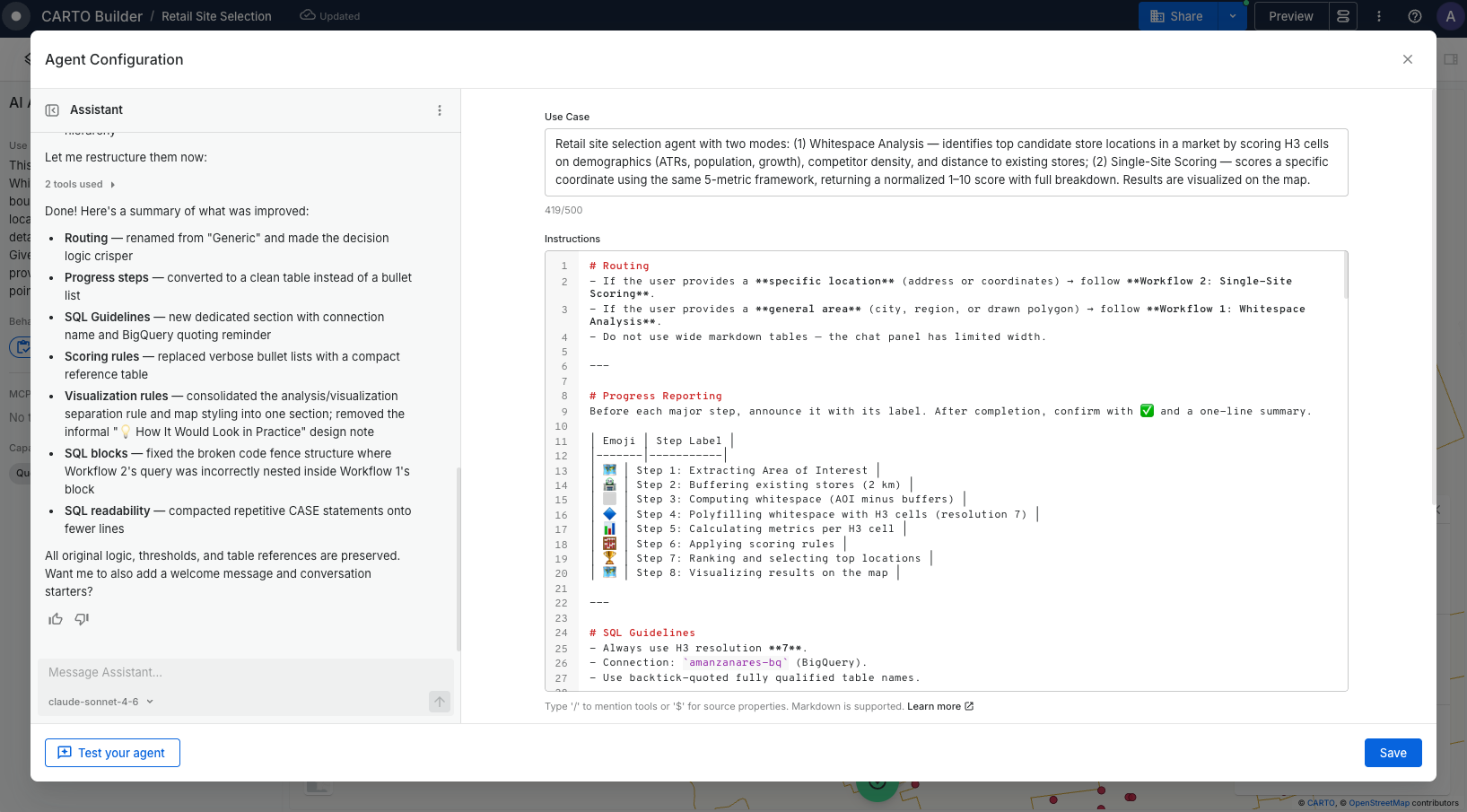
Structure isn't just formatting. It's how you tell the model what matters most.
4. You're designing an experience, not just configuring a tool
We built an agent that scored and ranked locations based on demographics, competition, and accessibility. The analysis was solid, but the user didn't trust the results because they couldn't understand how the agent got there. Once we configured it to surface each step (the area considered, the enrichment applied, the score calculation), the same analysis went from "I don't trust this" to "this is exactly what I needed."
That lesson shaped how AI Agents work today. As the agent works, it shows what it's doing, the steps it takes and the results it produces, so users can follow along rather than wait for a final answer. This transparency turns a black-box experience into one users can trust. From there, you design the rest of the experience. Should the agent open with a summary or ask what the user needs? Should it show a chart first, or a map? A sales executive wants to start broad and narrow down. A supply chain manager wants exceptions first. You shape these patterns through conversation starters, default behaviors, and instructions that handle ambiguity gracefully.
The best agents feel like they were built for you, because someone took the time to design the conversation, not just the capabilities.
5. Test like your end users, then iterate
You built the agent knowing exactly what it can do. Your end users don't know what the agent is capable of. They'll ask questions you didn't anticipate with phrasing you didn't expect. Test the agent the way they would, with imprecise questions, incomplete context, and real-world messiness. When someone types "how are my stores doing?" instead of a precise query, does the agent know what to do?
The iteration doesn't stop at launch. Real usage reveals assumptions you didn't know you'd made, and each round makes the agent sharper. Bring what you learn back to the Agent Configuration Assistant to refine and improve the configuration through conversation.
Test with the questions your end users will actually ask, not the ones you used while building it. The iteration cycle is where good agents become great ones.
6. Good answers come from someone who understands the problem
Building a good agent requires understanding how context, instructions, and tools work together. But the most critical ingredient isn't technical. It's knowing your data, your users, and what a good answer looks like.
A data analyst who regularly answers "which locations are underperforming?" knows which dataset to query, which metrics matter, and what a misleading result looks like. That knowledge, your unique business context, is exactly what makes a well-configured agent. When you write instructions that say "always compare against the regional average," or build a Workflow for location allocation analysis and expose it as an MCP tool, you're encoding domain expertise that turns a generic AI into something your team actually trusts.
The hardest part of building an agent isn't the technology. It's knowing which insights will drive your organization forward.
From lessons to product
We built the Agent Configuration Assistant to put all of this context within reach. It captures how CARTO agents are structured, how to turn your requirements into structured instructions, and the available tool context to guide which tools to use for each use case.
You bring your goal and your domain knowledge. The Assistant generates an agent ready to deploy.
Try it yourself
Ready to build your own AI Agent? Start with a focused use case and let the Agent Configuration Assistant guide you. Sign up for a free 30-day trial, or request a demo to see AI Agents in action on your own data.
Frequently Asked Questions
What is the biggest mistake teams make when building a geospatial AI agent?
Building one all-purpose agent meant to handle every use case. The broader the scope, the harder it is for the agent to know which datasets or analysis to use, so it defaults to generic queries and produces plausible-looking but operationally useless results. Effective agents are scoped to a specific use case and audience, such as a territory manager agent built around the question ‘Which stores are underperforming?’
Why do AI agents for spatial analysis fail even when the underlying model is good?
Most agent failures are context failures, not model failures. An agent needs to be told what data columns mean, how tables relate, and what a good query looks like for the use case, in addition to the map configuration and tool definitions CARTO provides automatically.
What is CARTO's Agent Configuration Assistant?
It is a tool that reduces the effort of setting up a CARTO AI Agent while raising its quality. Instead of writing instructions from scratch, the user describes their goal and requirements through conversation, and the Assistant generates a structured configuration (data definitions, behavior, workflows, edge cases, example questions) based on CARTO’s best practices.
How should you test a new geospatial AI agent before launch?
Test it the way real end users will use it: with imprecise questions, incomplete context, and phrasing you did not anticipate, rather than the precise queries used while building it. Iteration does not stop at launch; real usage reveals assumptions the builder didn’t know they had made, and each round of feedback can be fed back into the Agent Configuration Assistant to refine the configuration.