Prompt your maps: Agentic map-making with CARTO



2026 has been the year AI Agents started shipping production-ready analytical work. Agentic analytics has brought dashboards, data engineering pipelines, and advanced analyses within reach of a prompt. That same shift is now reaching GIS. Coding agents can compose interactive maps, iterate on cartography against real data, and ship them alongside the GIS teams who used to do all that work by clicking through complex interfaces.
Building a great map visualization has always been a craft. With AI Agents, that craft is now accelerated at every step. Quick prototypes ship in minutes. Routine requests (e.g. region swaps, template variations, fast first versions to share by EOD) can be done faster to free up the team's calendar. And for the maps that do deserve hand-tuned geospatial craft, the agent handles the mechanical work, so your GIS expertise focuses on critical thinking and cartographic judgment that matters.
A couple of weeks ago we introduced CARTO for Agents, making CARTO the first GIS platform fully designed for the Agentic Enterprise. Your coding agent of choice — Claude Code, Codex, Cursor, Google Antigravity, Copilot — can now compose and ship CARTO maps from a prompt, working alongside your GIS team to amplify what they produce.
Prompt to production-ready map in minutes
With CARTO for Agents, a coding agent can author a working CARTO Builder map end-to-end from natural language. It does what an analyst would do: inspect the data with carto sql query, choose layer types and palettes, compose widgets and popups, and ship the map with carto maps create. Within a couple of minutes, a fully functional, stunning map is ready in your CARTO organization.
Powering this behind the scenes is the carto-create-builder-maps skill, the recipe the agent follows to turn your request into a polished, shareable map. The skill teaches the agent to create an interactive map as a sequence of decisions: gather context before composing, inspect the data silently, pick cartography appropriate to the data (palette family, scale type, basemap pairing), and iterate with the user looking at the result. The cartographic choices aren't being improvised at each turn, they're encoded in the skill as playbooks the agent loads on-demand.
For all activity that happens after the first map ships, the same carto maps surface covers update, publish, and copy across organizations and customer-segregated workspaces. The whole loop — create, edit, version, share, migrate — runs from a chat agent conversational interface.
Built by an agent, governed by CARTO
The map your agent ships is a real CARTO Builder map: a first-class asset that joins the rest of your organization's maps. CARTO governs the map (who can view it, edit it, comment on it, embed it, publish it, version it), while the data the map reads stays governed where it already lives: your data warehouse. CARTO is cloud-native in the strict sense, which means every query executes inside BigQuery, Snowflake, Redshift, Databricks, or Oracle, respecting whatever row-level security, column masking, and access grants your data team has already configured. No data movement, no parallel access layer.
The agent gives you speed and reach. CARTO and your data lakehouse together make the result production-grade.
Two MCP Apps for maps in the conversation
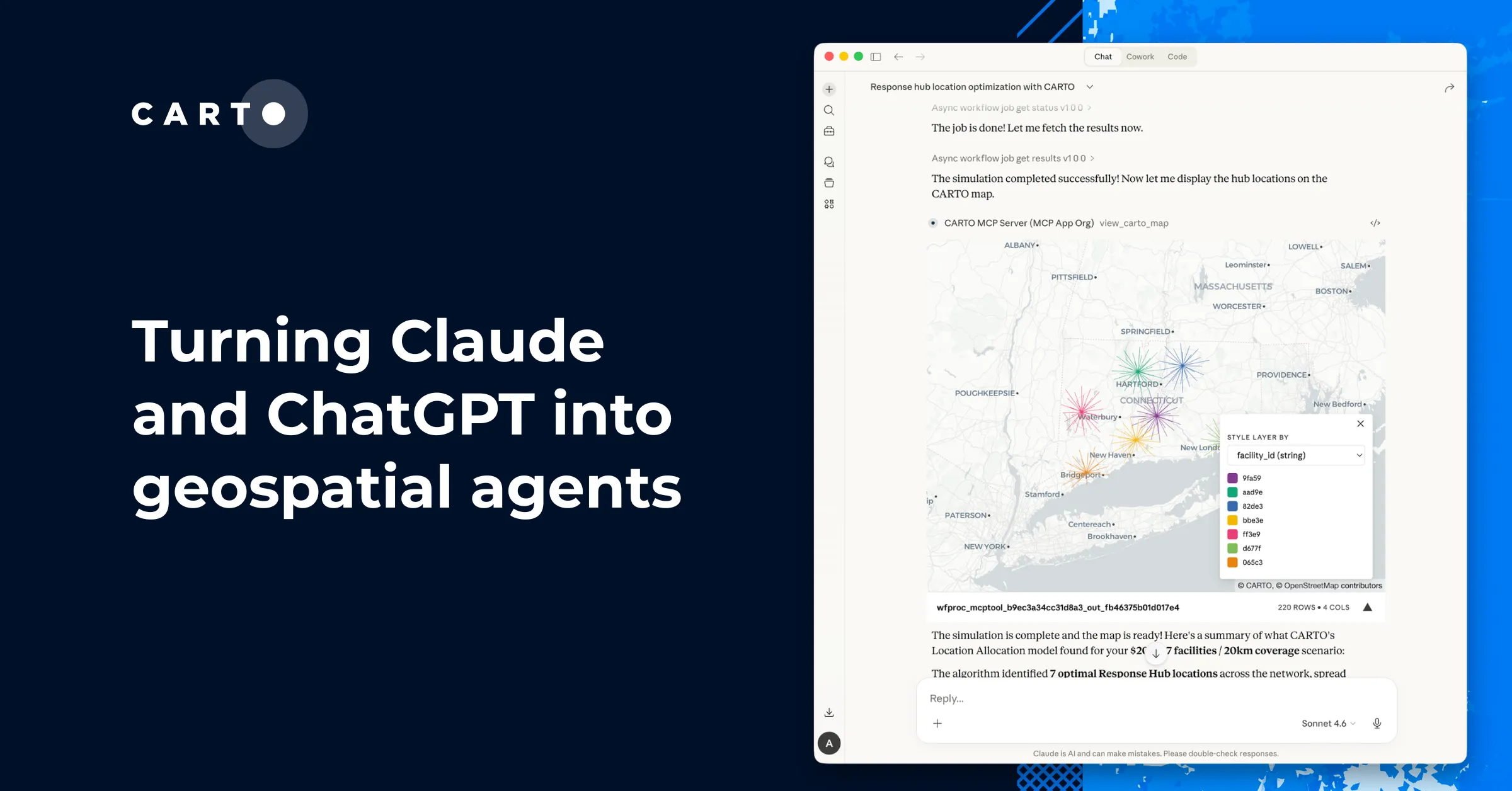
How to effectively leverage the AI Agent conversation surface itself is the other half of agentic map-making. The CARTO MCP Server currently offers access to two MCP App tools that render fully interactive maps inline in any MCP-compatible agentic platform.
The two serve different purposes:
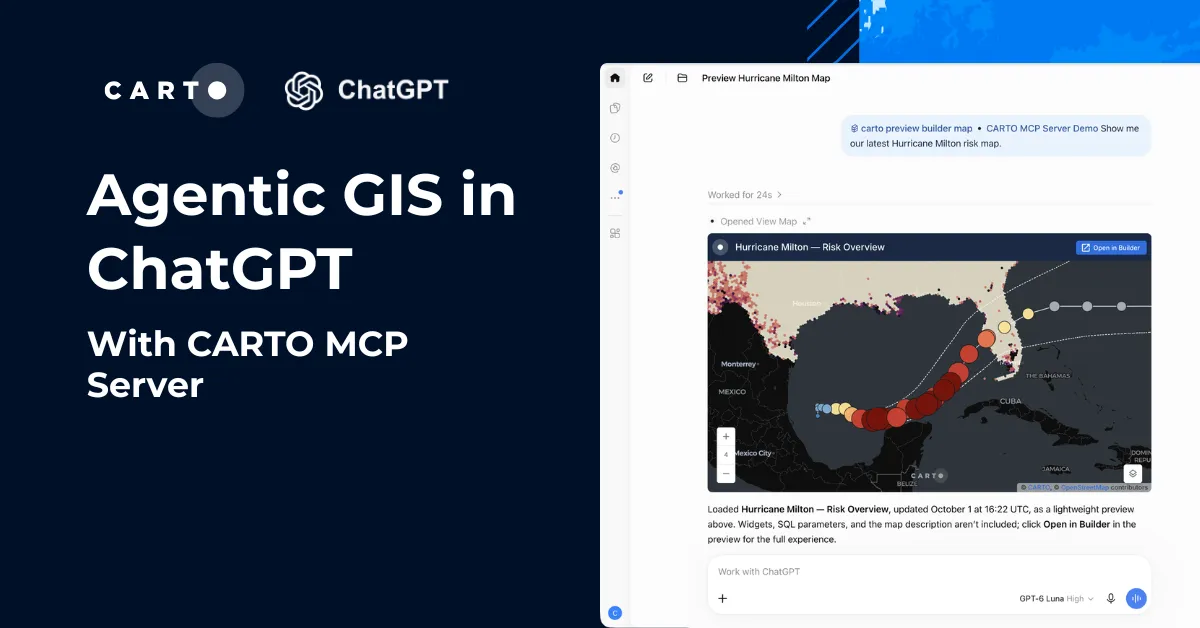
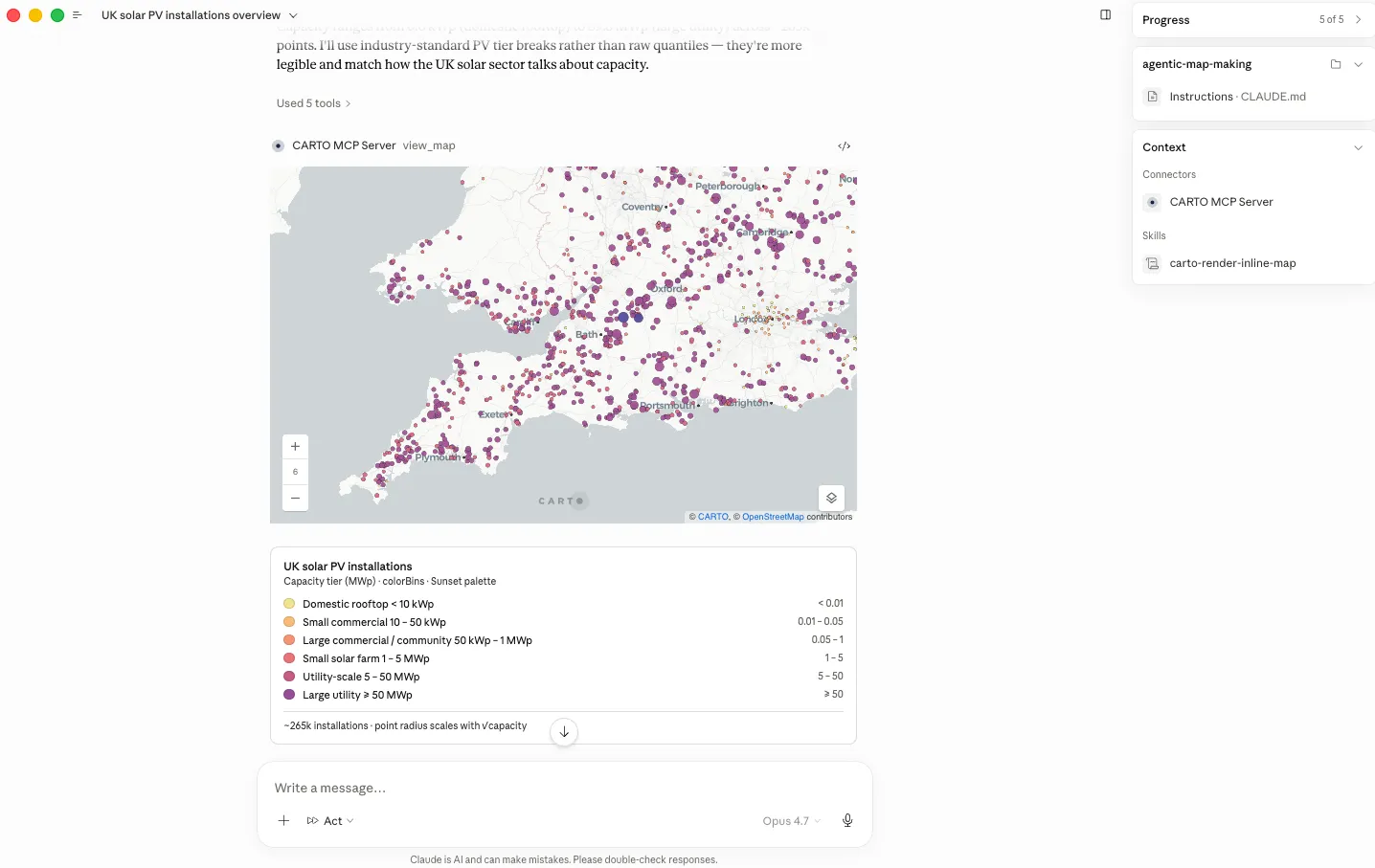
load_builder_maprenders a saved CARTO Builder map by ID, live, inside the conversation. The map is the same persisted, governed asset that lives in your CARTO organization. The agent uses this tool after every successfulcarto maps createorupdate, so the human in the loop sees exactly what was shipped, with data pulled live from the warehouse.view_mapis for one-off, in-conversation visualizations. The agent composes a quick map, built on CARTO and deck.gl, from a SQL query or a dataset; the MCP App renders it interactively in chat, and the map lives only in the context of that conversation: no persistence, no sharing, no governance.
Together they cover the full spectrum: from a disposable visual gut-check on one end to a published, organization-shareable interactive map on the other. The conversation surface stays the same; the persistence and governance layer underneath is what changes.
See it in action
Let's look at three prompts that show how CARTO's CLI, Agent Skills, and MCP Apps come together for agentic map-making: building a map from a blank slate, replicating one from a template, and a quick in-conversation visual check.
Creating a Builder map from a coding agent
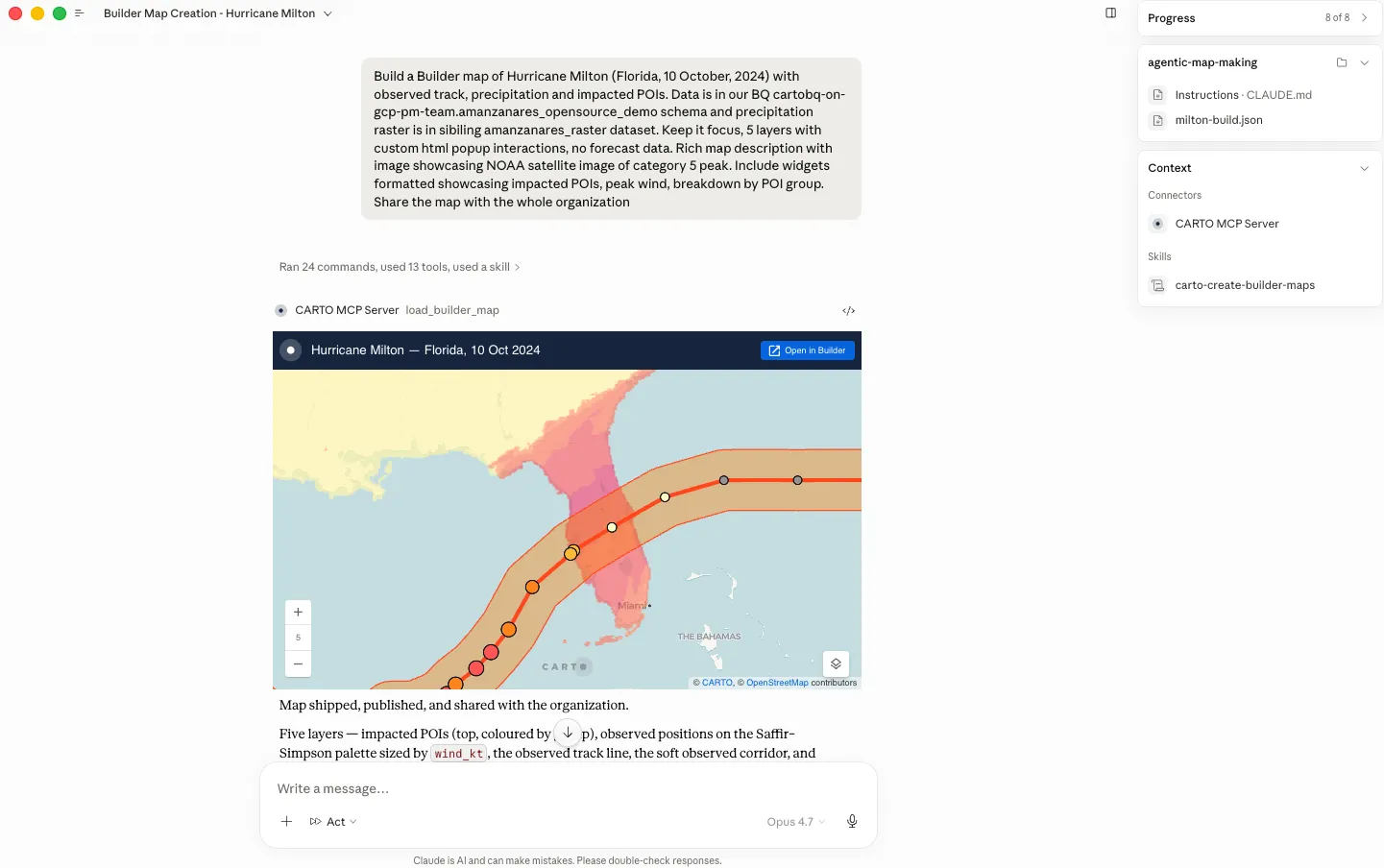
"Create a Builder map of Hurricane Milton (Florida, 10 Oct 2024) showing the observed storm track, precipitation intensity, and impacted POIs. Add contextual popups for each layer, include a rich description with the NOAA Category 5 satellite image, and create widgets for peak wind speed, impacted POIs, and a POI-category breakdown. Then publish and share the map with the entire organization."
From a single prompt, the agent builds a CARTO Builder map end-to-end: it discovers the available datasets, styles layers, adds contextual popups, widgets, and a description. It then validates it, and ships it into your CARTO organization. Via the MCP Server's load_builder_map tool, the same map renders inline in the conversation, so you can review and iterate right there.
Replicating an existing Builder map template with new data
"Replicate the Boston STR Builder map for New York City. Keep everything the same, only swap data sources, map title for 'New York City short-term rentals Inside Airbnb (Feb 2026)', and description."
In this example, the agent treats an existing Builder map as a template: it preserves the cartography, widgets, popups, and interactions, and replaces only what the prompt names: a new dataset, a new title, and a new viewport. Because Builder maps are defined by JSON configuration file, the swap is reliable rather than a guess, and the same template scales cleanly across regions, customers, or use cases.
Quick in-conversation visual exploration with an MCP App
"Kicking off a UK renewables brief, show me a national overview of solar PV installations from ukpvgeo_points, colored by capacity tiers."
Here, the agent runs a quick exploratory mapping flow inside the conversation: it locates the dataset, inspects the schema, derives classification thresholds, and emits a @deck.gl/json spec built on CARTO layers, rendered inline via the MCP Server's view_map tool. Unlike the Builder examples above, the result isn't a persisted asset, it's a fast, interactive map with hover tooltips and a legend, made for sanity-checking, tweaking styling, and iterating through follow-up prompts.
Try agentic map-making today
Everything in this post is available now to every CARTO user. Install the CARTO CLI, add the CARTO Agent Skills, and connect your AI agent of choice to the CARTO MCP Server:
npm install -g @carto/carto-cli
npx skills add CartoDB/agent-skills
Then point Claude Code, Codex, Cursor, Antigravity CLI, or Copilot at your CARTO workspace and try a prompt. Check the CARTO for Agents documentation to get started, or reach out to us to request a demo.
Frequently Asked Questions
Can an AI coding agent create a CARTO map from a text prompt?
Yes. Using the CARTO CLI and the carto-create-builder-maps Agent Skill, a coding agent like Claude Code, Codex, Cursor, Google Antigravity, or Copilot can inspect the data with carto sql query, choose layer types, palettes, widgets, and popups, and ship a fully functional CARTO Builder map with carto maps create, typically within a couple of minutes.
What is the difference between load_builder_map and view_map in the CARTO MCP Server?
load_builder_map renders a saved, persisted CARTO Builder map by ID live inside the conversation, using the same governed asset that lives in the CARTO organization. view_map is for quick, one-off in-conversation visualizations built from a SQL query or dataset; it has no persistence, sharing, or governance and exists only for that conversation.
Does an AI agent creating a CARTO map move or copy the underlying data?
No. The map itself is a governed CARTO Builder asset, but the data it reads stays in the customer’s own data warehouse, such as BigQuery, Snowflake, Redshift, Databricks, or Oracle. Every query executes inside that warehouse, respecting existing row-level security, column masking, and access grants, with no data movement or parallel access layer.
Can an agent replicate an existing map as a template with new data?
Yes. Because Builder maps are defined by a JSON configuration file, an agent can treat an existing map as a template, preserving the cartography, widgets, popups, and interactions while swapping in a new dataset, title, and viewport, which lets the same template scale reliably across regions, customers, or use cases.