CARTO CLI: Automated CARTO management built for AI Agents



The way we interact with software is changing. As AI agents become capable of reasoning through complex tasks and orchestrating tools autonomously, a question emerges: how do we give them access to our platforms and data in a way that's secure, structured, and scalable?
For decades, GIS platforms have been built for humans — point-and-click interfaces optimized for visual interaction. But agents don't click. They don't drag layers onto maps or navigate dropdown menus. They issue commands, parse structured outputs, and chain operations together programmatically.
That's why CARTO has released the CARTO CLI — a command-line interface designed for the agentic future of enterprise geospatial workflows.
The automation gap for enterprise GIS
Here's a reality that anyone managing geospatial infrastructure at scale knows well: GIS tooling has historically lagged behind other enterprise software when it comes to automation. While DevOps teams have long enjoyed Infrastructure as Code, CI/CD pipelines, and scriptable deployments, GIS professionals have often been stuck with manual processes.
Need to promote a map from development to production? That's 15 minutes of clicking, manually replicating configurations, and hoping you didn't miss a step. Need to move a workflow between environments? Get ready to verify data source accessibility, update fully-qualified table names, and repeat the process for every asset.
This isn't just inefficient — it's a blocker for enterprises trying to scale their spatial operations. When your deployment process is manual, it doesn't fit into automated pipelines. When it's error-prone, it slows down iteration. And when it requires specialized knowledge of the UI, it creates bottlenecks around the few people who know the clicks.
The CARTO CLI changes this equation entirely. What once required manual replication now becomes a single command that can be scripted, scheduled, and integrated into existing DevOps workflows.
We’ve prepared three topics for you to discover how we cover the gap:
- An example where we manage multiple CARTO environments with commands
- Why the CARTO CLI is agent-ready
- An example where we use an AI Agent to understand how teams use CARTO
The future of enterprise GIS is exciting. We’ve also reflected on the next steps for the CARTO CLI that will enable AI Agents to create maps and workflows, and we can’t wait for you to get started!
From staging to production in one command
Enterprise teams typically manage multiple environments — development for experimentation, staging for validation, and production for end users. The CARTO CLI's profile system makes moving assets between these environments seamlessly.
First, authenticate to each environment:
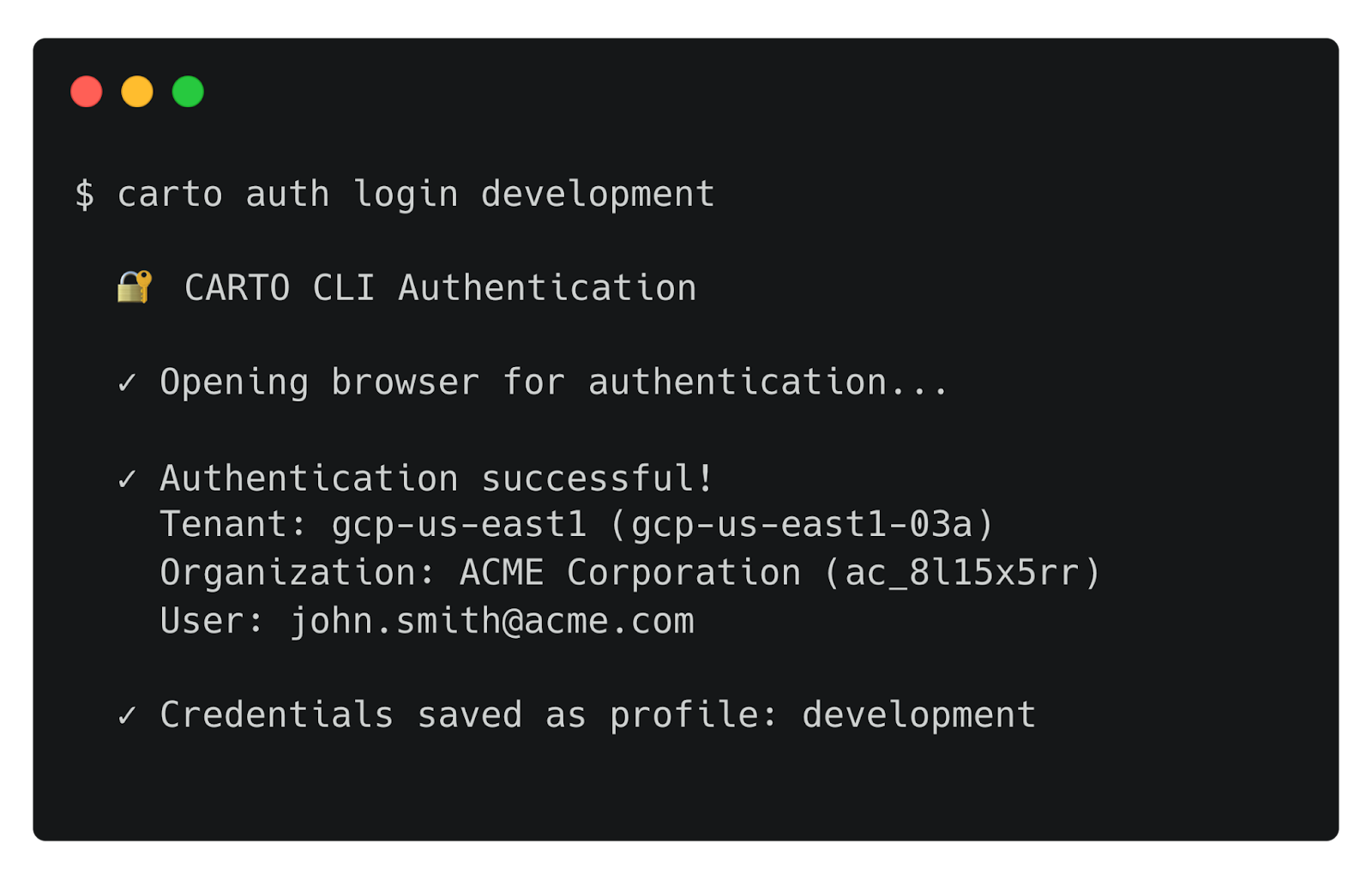
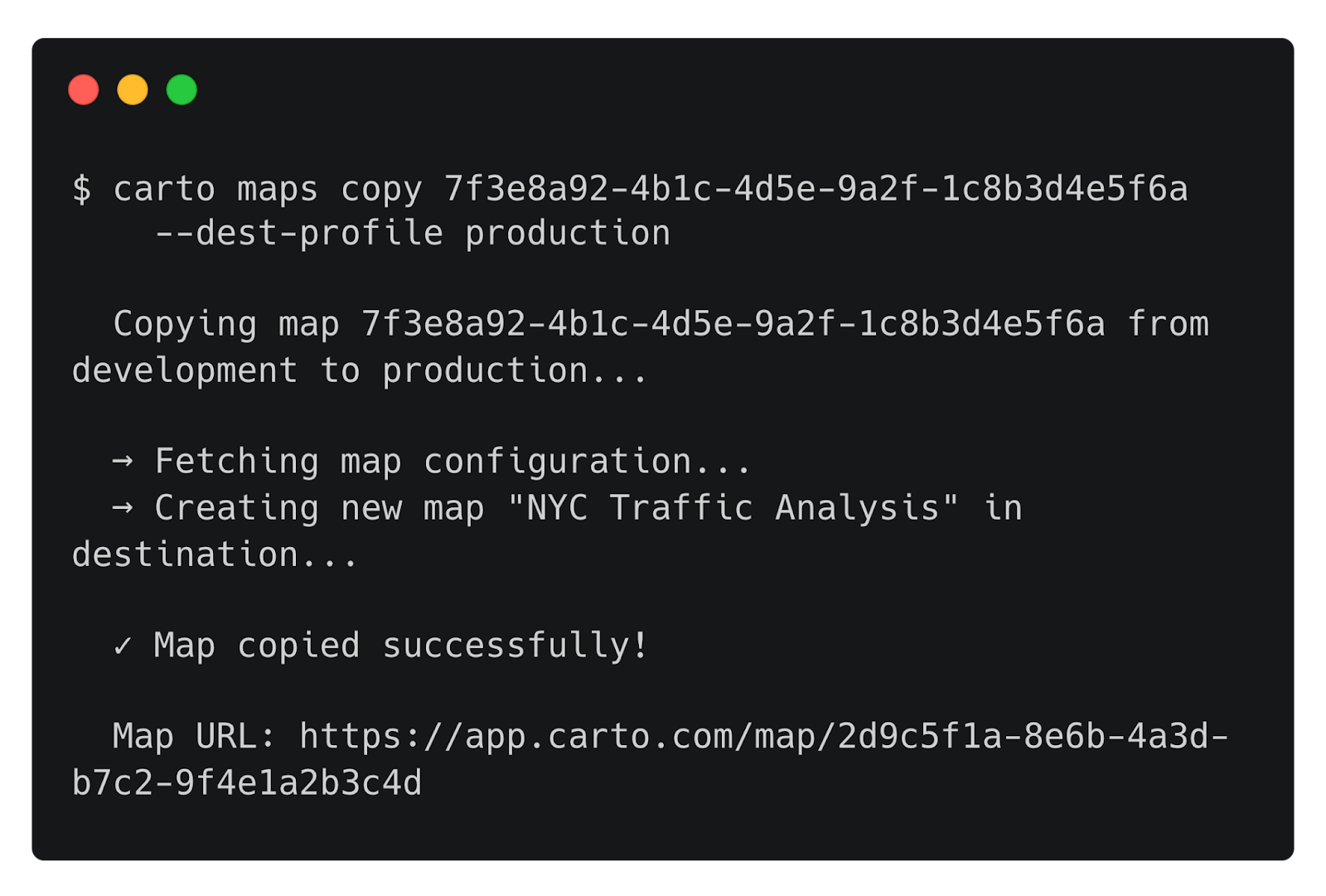
Each profile stores its credentials separately, allowing you to switch contexts or target specific environments with any command. Now, promoting a map from development to production is as simple as:
For workflows that connect to different data warehouse instances across environments, connection mapping handles the translation:
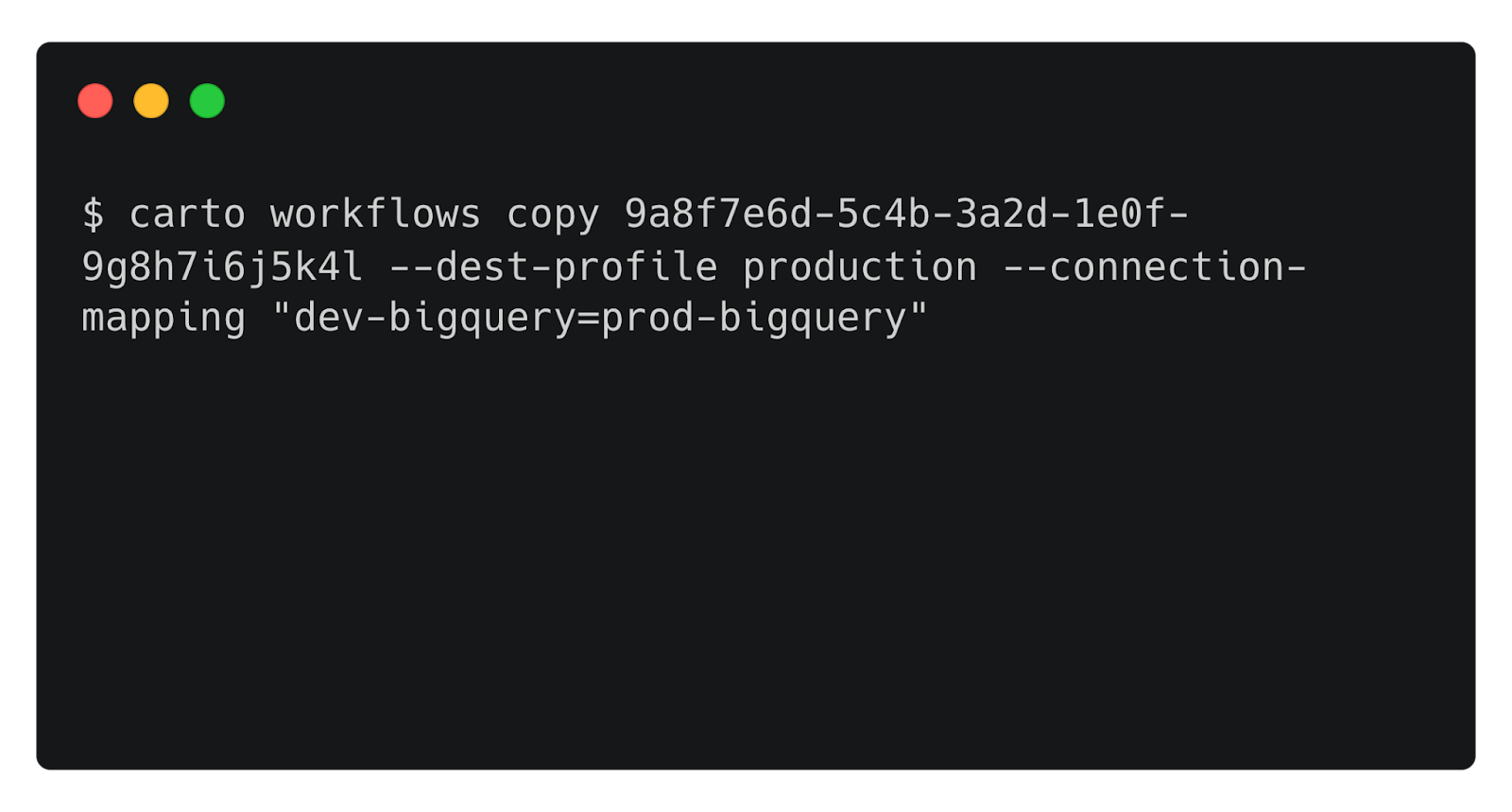
This single command replaces what was previously a multi-step manual process: exporting configurations, recreating assets in the target environment, updating connection references, and verifying everything works. Now it's scriptable, repeatable, and ready for CI/CD integration.
Designed for agents from the ground up
The CARTO CLI wasn't just built for human operators typing commands in a terminal. Every design decision considered a future where AI agents are first-class users of enterprise platforms.
What makes a CLI "agent-ready"? Several characteristics that the CARTO CLI embeds throughout:
- Structured output. Every command supports a
--jsonflag, returning machine-parseable responses instead of human-formatted tables. An agent can issuecarto maps list --json, parse the response, and reason about which map to operate on next. - Non-interactive execution. The
--yesflag skips confirmation prompts, enabling fully automated pipelines without human intervention. Combined with environment variable authentication (CARTO_API_TOKEN), agents can operate autonomously. - Composable operations. Commands accept input via stdin, enabling piping and chaining. An agent can construct a SQL query, pipe it to
carto sql query, and process the results — all within a single reasoning loop. - Headless authentication. The
--no-launch-browserflag enables authentication in environments where there's no display — containers, remote servers, or agent runtimes.
These aren't features added as an afterthought. They reflect a core belief: the command line is the universal interface that bridges human operators, automation scripts, and AI agents. It's the language machines already speak.
Usage analytics with AI Agents
One of the most powerful capabilities unlocked by the CLI is the ability to query your organization's activity data programmatically. The carto activity query command lets you run SQL queries (powered by DuckDB) against your platform's usage data.
Consider the questions that organization administrators frequently need to answer:
- "Who was the most active user in my organization last month?"
- "Which map received the most public views?"
- "Who are the top 5 users consuming LDS quota?"
Traditionally, answering these questions required exporting data, loading it into an analysis tool, and writing queries manually. With the CARTO CLI, an AI agent equipped with the right skill can answer these questions conversationally.
A user might ask their agent:
"Who was the most active user in my organization in December?"
Behind the scenes, the agent authenticates, constructs and executes a SQL query. Then, it parses the structured JSON response and delivers the answer in natural language. No data exports, no manual queries, no context-switching between tools.
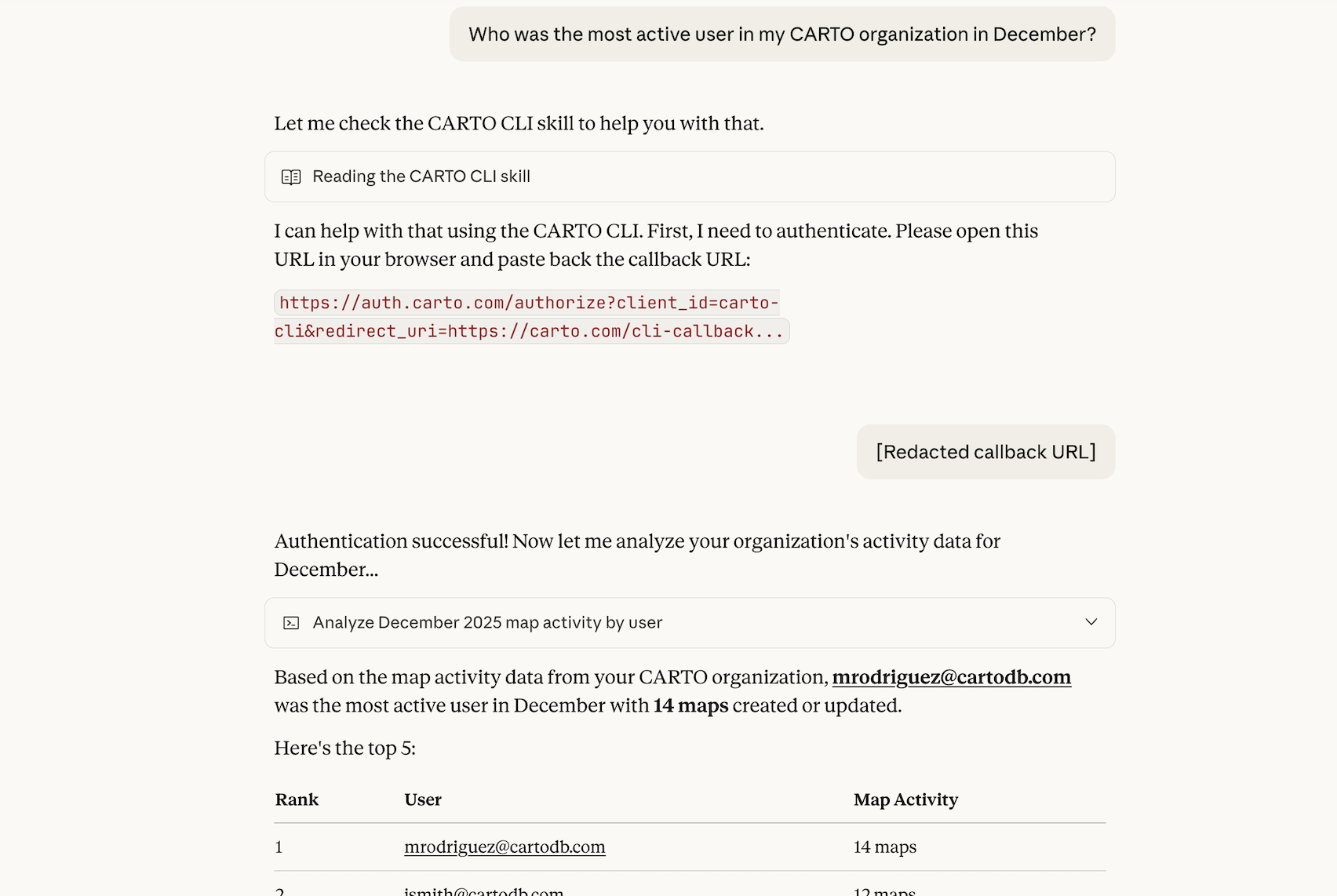
This pattern — agents orchestrating CLI commands to answer business questions — represents a fundamental shift in how organizations interact with their platforms. The GIS administrator's expertise gets encoded into skills and prompts, then amplified across the entire organization through conversational interfaces.
The future: Agents creating workflows
Our vision for Agentic GIS extends beyond agents querying data or promoting assets. We're working toward a future where AI agents can create analytical workflows themselves.
Imagine describing an analysis in natural language:
"Create a workflow that identifies areas with a higher concentration of bicycle accidents in the city of Madrid"
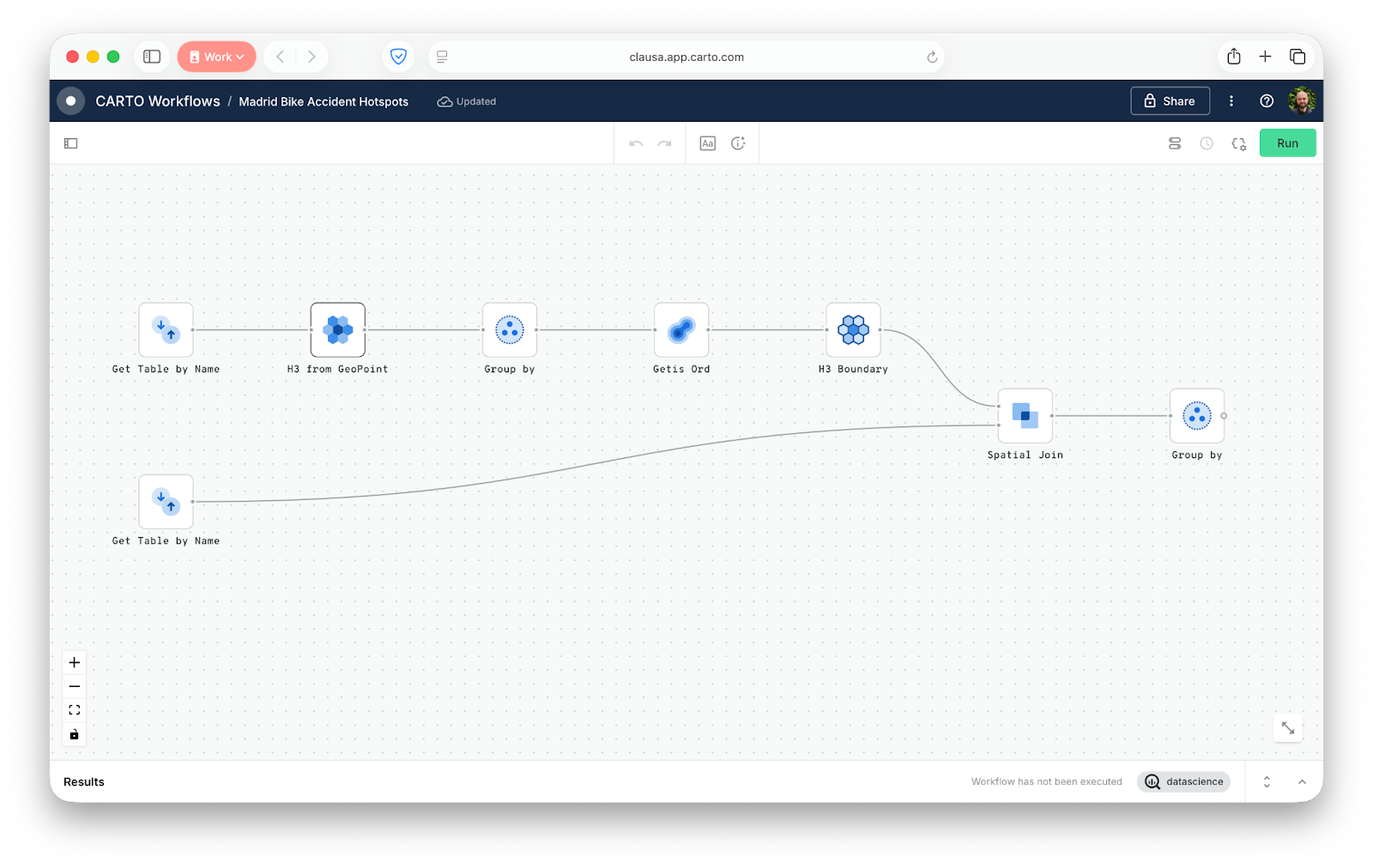
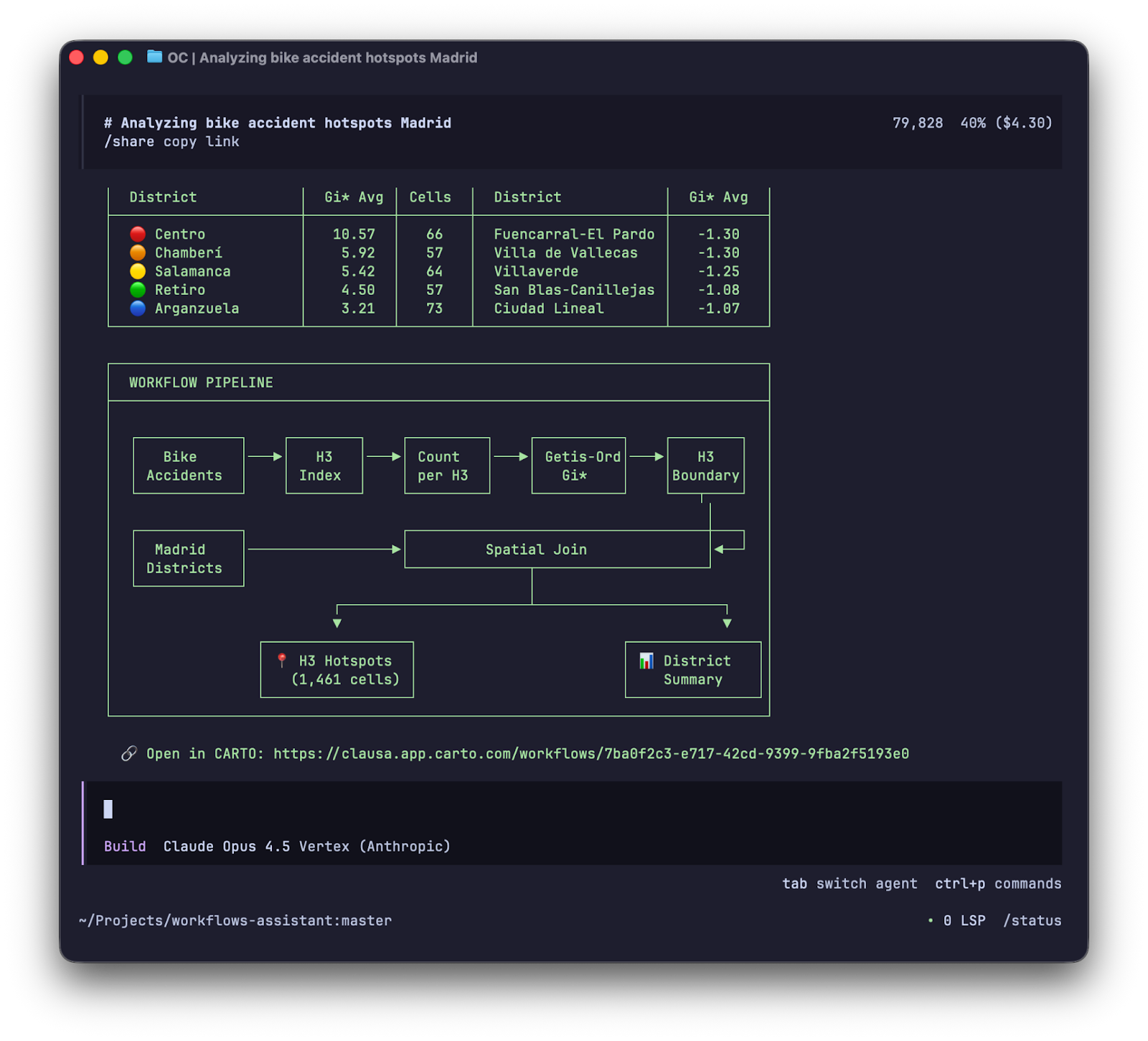
An agent equipped with workflow creation capabilities would approach this the same way a coding agent like Claude Code approaches software development: iteratively. It would draft an initial workflow structure, validate the component connections, test intermediate outputs, refine parameters based on results, and continue the loop until the analysis produces meaningful results.
This closes a powerful circle. Workflows built in CARTO can be published as MCP tools, making them callable by other agents. So we arrive at a future where agents create tools that equip other agents with geospatial capabilities — democratizing spatial analysis at a scale that was never before possible.
Something else we’re optimistic about is how the CARTO CLI democratizes access to knowledge and techniques to automate Enterprise GIS: CARTO will be publishing a set of public skills that enable any AI Agent to learn how to use the CLI for this purpose
The CARTO CLI is the foundation that makes this future achievable. By providing a programmatic interface to every platform capability, it becomes the substrate on which agentic workflows are built.
Getting started
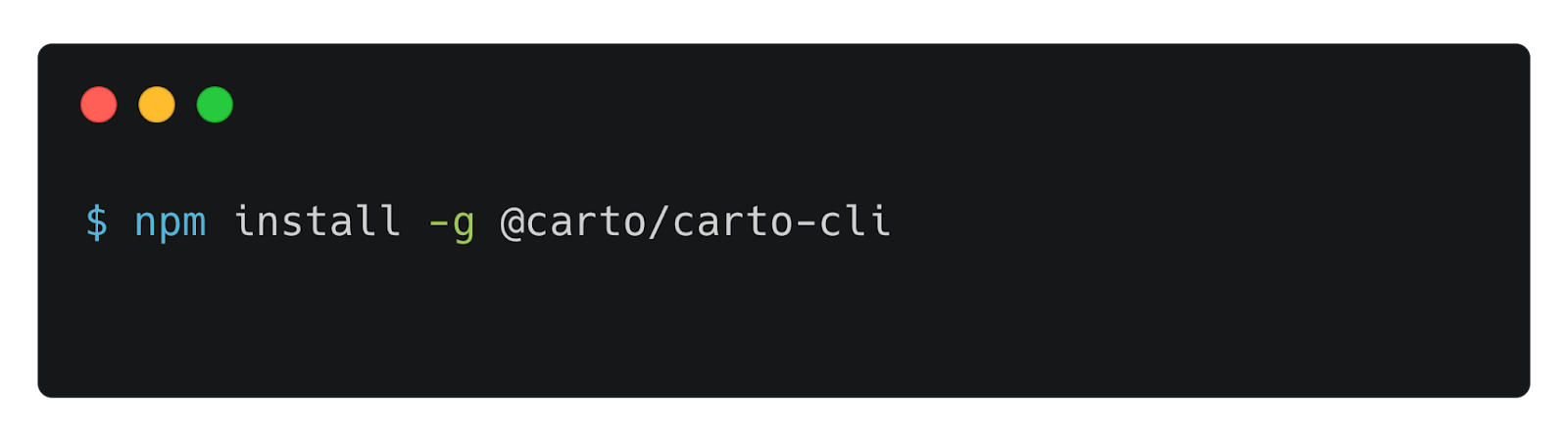
The CARTO CLI is available now via npm, using:
npm install -g @carto/carto-cli
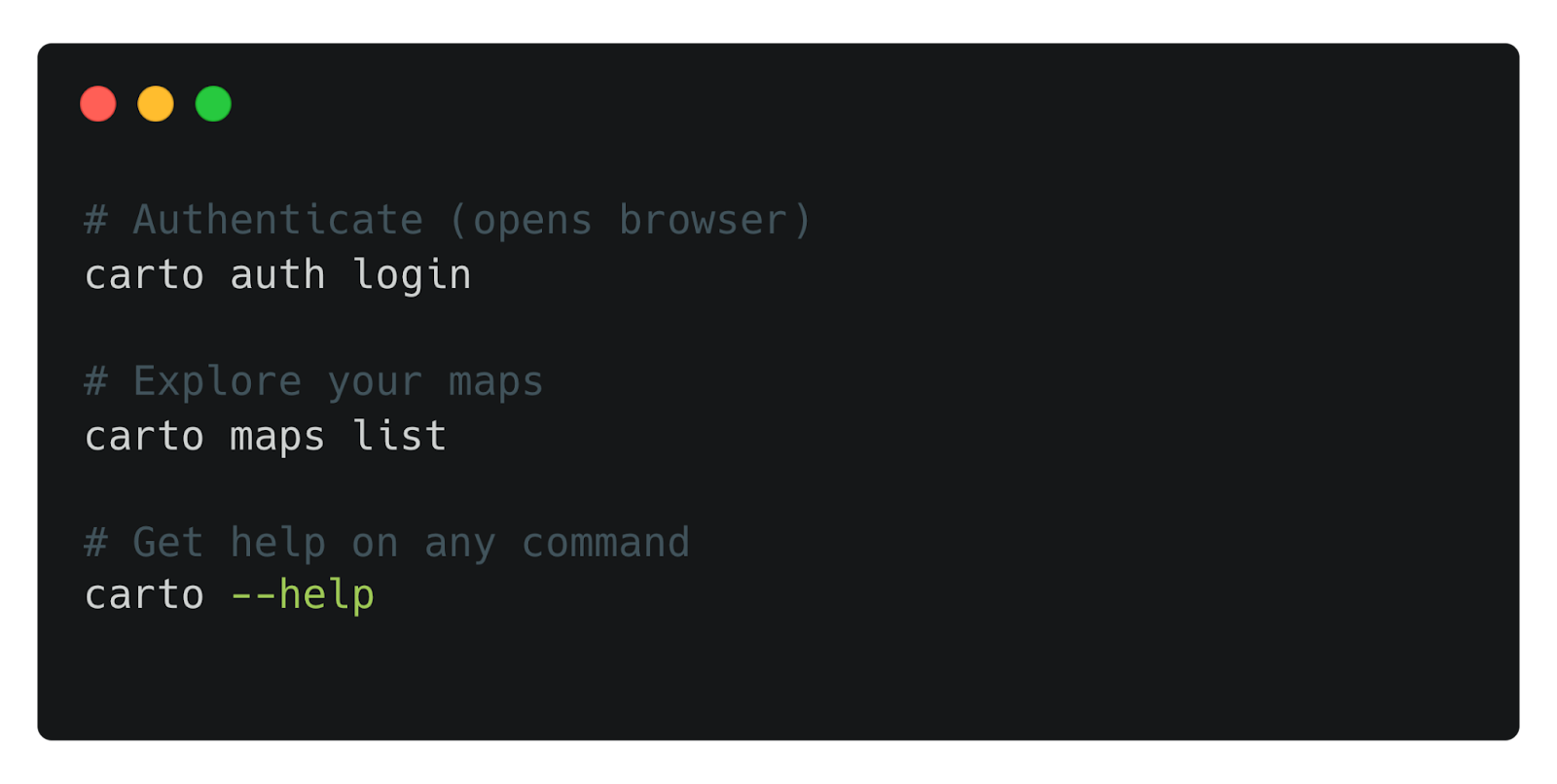
And get started in just three commands:
carto auth logincarto maps listcarto --help
Building the future, one command at a time
The CARTO CLI is more than a productivity tool — it's the interface layer that connects human expertise, automated pipelines, and AI agents into a unified geospatial operating model.
Today, it enables managing multiple environments in one command, easier visibility into organization-wide usage metrics, and scriptable operations. Tomorrow, it will power agents that create analytical workflows from natural language, publishing new capabilities that equip other agents with spatial superpowers.
That future starts with a single command. Install the CARTO CLI, explore what's possible, and join us in shaping the era of Agentic GIS.
To keep up with the latest releases like this one, visit the What’s New page of our Documentation and follow us on LinkedIn for live updates, or sign up for our newsletter to get highlights straight to your inbox.
Not a CARTO user yet? Start a 14-day free trial and experience these new features yourself!